NurseGrid Manager

By HealthStream

0.0
Rating out of 5 Based on 0 reviews

What is NurseGrid Manager?

NurseGrid Manager is a scheduling and communication platform designed specifically for nurse managers and healthcare teams. It simplifies the complexities of creating and managing shift schedules while improving staff communication and engagement. Built by nurses for nurses, the platform allows managers to post, edit, and approve shift changes in real-time, while staff can view schedules, request swaps, and update availability through the connected mobile app. NurseGrid Manager bridges the gap between staff needs and administrative tasks, ensuring better staffing outcomes and reduced scheduling conflicts across healthcare units.

Pricing of NurseGrid Manager

Basic

USD 349.00
USD 0.00

Per Month

Buy Now

Key Features of NurseGrid Manager

Key Features:
  • Mobile Access
  • Employee Scheduling
  • Employee Database
  • Automated Scheduling
  • Vacation/Leave Tracking
  • Schedule Distribution
  • Shift Swapping

Key Specification

Other Categories: Employee Scheduling Software
Deployment: Cloud Hosted,Hybrid,On Premise,Any
Customer Support: Phone,Email,Live Chat
Languages Support: English

Who uses NurseGrid Manager

StartUps
StartUps
SMEs
SMEs
Agencies
Agencies
Enterprises
Enterprises

Company Details

Company Name: HealthStream
Headquarter: Portland, Oregon United States
Social Media:

NurseGrid Manager Description

Why Choose NurseGrid Manager?

NurseGrid Manager is tailored exclusively for the healthcare industry, making it a reliable solution for nurse leaders. Unlike generic scheduling tools, it understands the complexities of nurse scheduling, including shift rotations, credential tracking, and overtime management. As a powerful Employee Scheduling Software, the platform enhances team communication by allowing staff to instantly view schedule changes, swap shifts, and receive manager-approved updates. NurseGrid Manager also reduces administrative workload by automating scheduling processes and providing real-time data insights. With robust mobile integration, nurses and managers can stay connected on the go, ensuring better preparedness and reduced absenteeism. Its industry-specific design and ease of use make it a top choice for modern healthcare teams.

Benefits of NurseGrid Manager

  • Improved Shift Coverage – Automatically fills open shifts and notifies staff instantly.
  • Time Savings – Reduces manual scheduling tasks, freeing up time for patient care.
  • Better Team Communication – Keeps all staff informed with real-time updates.
  • Staff Empowerment – Enables staff to manage their availability and swap shifts easily.
  • Reduced Burnout – Balances workloads by monitoring hours and preventing overscheduling.
  • Increased Compliance – Tracks credentials and ensures schedules meet legal and organizational policies.
  • Data-Driven Insights – Provides analytics to improve staffing efficiency and productivity.

How to Use NurseGrid Manager

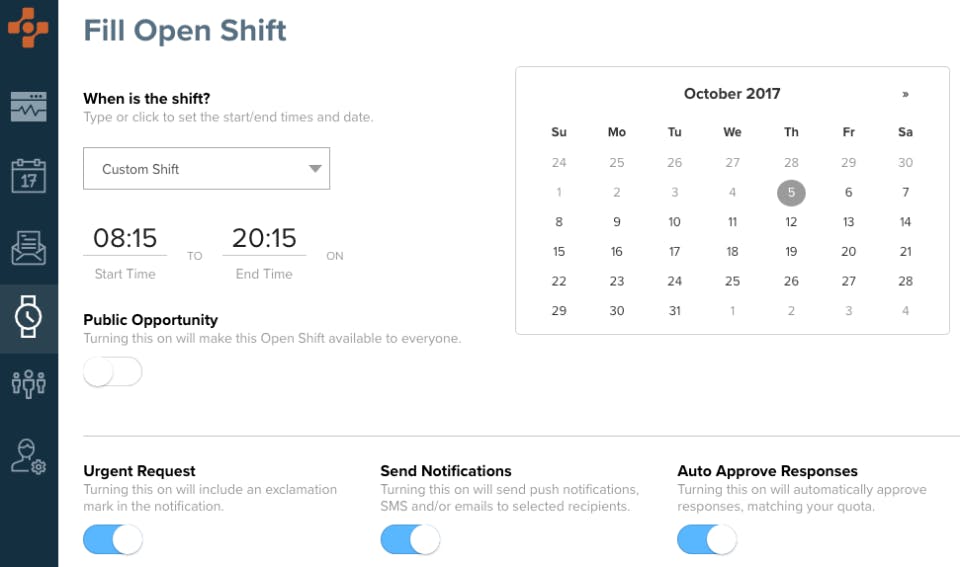
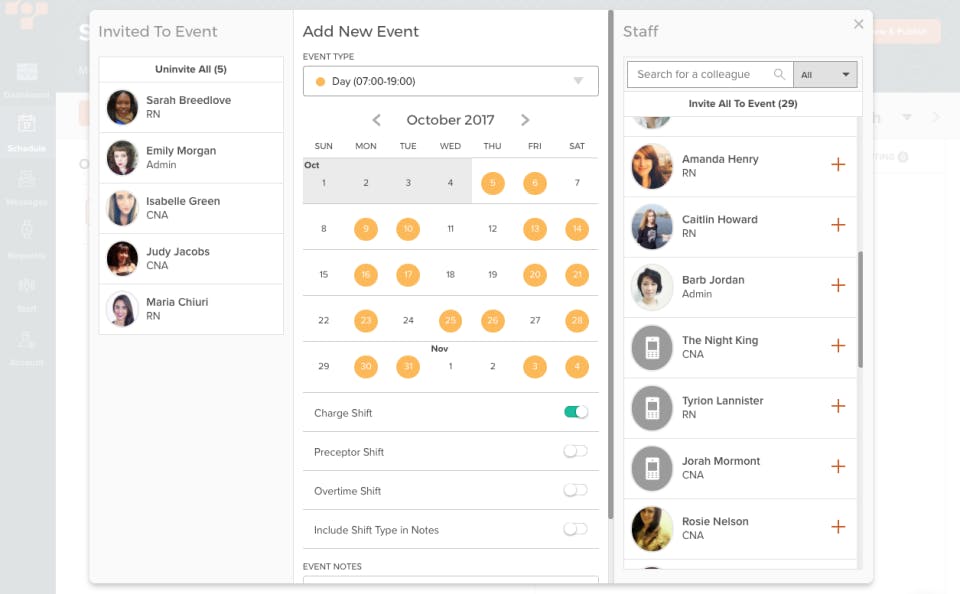
Using NurseGrid Manager is simple and efficient. First, the manager logs into the web-based dashboard and inputs staff details, shift types, and scheduling rules. They can then generate schedules using drag-and-drop tools or automated templates. Once created, schedules are published, instantly notifying nurses via the NurseGrid mobile app. Staff can view their shifts, set availability, and request swaps, which managers can approve or deny in real time. The platform also allows ongoing updates, so any changes reflect immediately across the team. NurseGrid Manager ensures transparency, control, and fluid communication between managers and nursing teams.

Features of NurseGrid Manager

  • Smart Scheduling Tools – Automates shift creation and fills open spots.
  • Mobile App Integration – Syncs with the NurseGrid mobile app for on-the-go access.
  • Real-Time Notifications – Sends alerts for new shifts, swaps, or updates.
  • Credential Tracking – Keeps records of licenses, certifications, and renewals.
  • Shift Swap Approvals – Allows staff to swap shifts with manager oversight.
  • Analytics Dashboard – Tracks staffing trends and overtime usage.
  • Customizable Templates – Creates reusable schedules based on department needs.

What Makes NurseGrid Manager Different?

Unlike general workforce tools, NurseGrid Manager is purpose-built for healthcare scheduling. It understands the operational demands of nursing teams, offering features like real-time shift updates, mobile access, and credential management. The seamless integration with the NurseGrid mobile app allows instant communication between staff and leadership. Additionally, it emphasizes employee autonomy by allowing nurses to participate in the scheduling process. The system also includes analytics to help managers make informed staffing decisions. NurseGrid Manager’s exclusive healthcare focus, user-friendly interface, and dynamic communication tools make it uniquely positioned to solve scheduling challenges in medical facilities.

Who Can Benefit from NurseGrid Manager?

NurseGrid Manager is ideal for a wide range of healthcare professionals and institutions. Nurse managers and hospital administrators benefit from streamlined scheduling and better shift coverage. Nurses gain more control over their schedules and experience fewer last-minute changes. Long-term care facilities, clinics, surgical centers, and large hospital systems can all use the platform to reduce staffing gaps, improve team coordination, and ensure compliance with workforce policies. Any healthcare setting that needs reliable, flexible, and transparent scheduling will benefit from implementing NurseGrid Manager.

Is NurseGrid Manager Easy to Use?

Yes, NurseGrid Manager is designed with simplicity and usability in mind. Its intuitive dashboard and drag-and-drop scheduling tools allow managers to build and adjust schedules quickly. The mobile app interface is user-friendly, allowing staff to access and manage their shifts with ease. New users require minimal training, and onboarding is fast. The layout is clean, and the steps to post shifts, approve swaps, and track hours are straightforward. Even those without technical backgrounds find NurseGrid Manager accessible, making it an ideal solution for busy healthcare environments where time and clarity are critical.

What Support Does NurseGrid Manager Offer?

NurseGrid Manager provides comprehensive customer support to ensure smooth operations. Users have access to live chat, email support, and an online help center with FAQs and video tutorials. The support team offers guidance during onboarding and provides ongoing assistance for any technical issues or feature-related queries. NurseGrid also conducts regular updates and improvements based on user feedback. Additionally, training resources and webinars are available to help managers and staff make the most of the platform. With responsive and dedicated support, users can rely on timely help whenever needed.

Alternative

TCP Humanity Scheduling

Dynamic employee scheduling software that works for everyone

0.0
Rating out of 5 Based on 0 reviews

Connecteam

Powerful Hubs, Flexible Pricing

0.0
Rating out of 5 Based on 0 reviews

When I Work

Scheduling for Shift Based Workplaces

0.0
Rating out of 5 Based on 0 reviews

NurseGrid Manager Video/Screenshots
NurseGrid Manager Key Clients
User Reviews

no-reviews
Share your experience! Be the very first reviewer. Write a Review

Frequently Asked Questions (FAQs)

The user group of NurseGrid Manager are as follows :

  • Startups
  • SMEs
  • Agencies
  • Enterprises

NurseGrid Manager has 1 plans,

  • Basic USD 349.00 Per Month

NurseGrid Manager is allowed 0 Days Free Trial.

The key featuers of NurseGrid Manager are as follows :

  • Mobile Access
  • Employee Scheduling
  • Employee Database
  • Automated Scheduling
  • Vacation/Leave Tracking
  • Schedule Distribution
  • Shift Swapping

NurseGrid Manager pricing model : Yearly,Monthly,Onetime(Perpetual License)

NurseGrid Manager is Cloud Hosted,Hybrid,On Premise,Any Software.

NurseGrid Manager offers Phone,Email,Live Chat support.

NurseGrid Manager provides Help Guides,On-Site Training for the software training.