Microsoft 365 Manager

REV UP YOUR MICROSOFT ENTERPRISE & CLOUD

0.0
Rating out of 5 Based on 0 reviews

What is Microsoft 365 Manager

Microsoft 365 Manager is an administrative tool designed to simplify the management, reporting, and auditing of Microsoft 365 services. It enables IT teams to efficiently monitor usage, user activity, licenses, and compliance. Businesses often begin with the Microsoft 365 Manager Demo to explore capabilities, review Microsoft 365 Manager Features, and determine the right plan through Microsoft 365 Manager Pricing.

Pricing of Microsoft 365 Manager

no-pricing
For get detailed pricing as per your requirements.

Key Features of Microsoft 365 Manager

Key Features:
  • Access Management
  • Compliance Management

Key Specification

Other Categories: Access Governance Software License Management Software
Deployment: Cloud Hosted,Hybrid,On Premise,Any
Customer Support:
Customization: No
Languages Support: English

Who uses Microsoft 365 Manager

StartUps

StartUps
SMEs
SMEs
Agencies
Agencies
Enterprises
Enterprises

Company Details

Company Name: Vyapin Software Systems
Headquarter: India
Social Media:

Microsoft 365 Manager Description

Why Choose Microsoft 365 Manager

Organizations choose Microsoft 365 Manager to gain detailed insights and full control over their Microsoft 365 environment. It helps in automating routine tasks, generating compliance reports, and enhancing security oversight. Microsoft 365 Manager Reviews highlight its usability and impact on IT efficiency. Many teams assess the tool through a Microsoft 365 Manager Demo before choosing a plan via Microsoft 365 Manager Pricing.

Benefits of Microsoft 365 Manager

  • Centralizes Microsoft 365 administration tasks

  • Automates user and group management

  • Enhances security through real-time alerts and auditing

  • Simplifies license tracking and usage reporting

  • Reduces admin workload with pre-built templates

These advantages are often mentioned in Microsoft 365 Manager Reviews, especially when users compare options after trying the Microsoft 365 Manager Demo and evaluating Microsoft 365 Manager Pricing.

How to use Microsoft 365 Manager

To use Microsoft 365 Manager, start by connecting your Microsoft 365 account. Configure dashboards, select reporting parameters, and set up alerts based on your compliance needs. Automate tasks like user provisioning and mailbox audits. Many businesses begin by exploring the Microsoft 365 Manager Demo to understand workflows and choose the best plan through Microsoft 365 Manager Pricing. It’s also useful when paired with an access governance tool that helps maintain proper user permissions and role-based controls across the organization.

Features of Microsoft 365 Manager

  • Real-time user activity monitoring

  • Automated reporting for Exchange, Teams, OneDrive, and SharePoint

  • Role-based access control and permission tracking

  • License management and optimization

  • Audit-ready compliance reports

These Microsoft 365 Manager Features are highly rated across Microsoft 365 Manager Reviews, especially by IT teams looking to streamline admin tasks. Users typically explore them via the Microsoft 365 Manager Demo and finalize their subscription through Microsoft 365 Manager Pricing.

Alternative

Sage Accounting (Sage One)

Say so long to late night admin

0.0
Rating out of 5 Based on 0 reviews

Okta

identification provider

0.0
Rating out of 5 Based on 0 reviews

Ping Identity

Ping Identity and ForgeRock Both Named a Leade

0.0
Rating out of 5 Based on 0 reviews

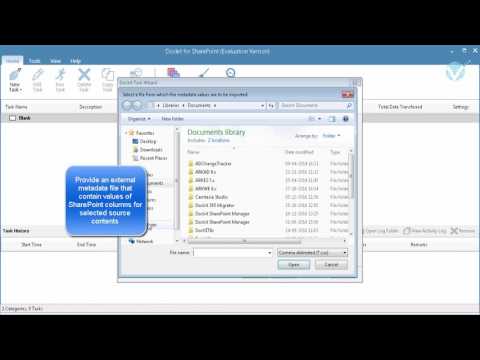
Microsoft 365 Manager Video/Screenshots
Microsoft 365 Manager Key Clients
User Reviews

no-reviews
Share your experience! Be the very first reviewer. Write a Review

Frequently Asked Questions (FAQs)

The user group of Microsoft 365 Manager are as follows :

  • Startups
  • SMEs
  • Agencies
  • Enterprises

Microsoft 365 Manager has 0 plans.

Microsoft 365 Manager is not allowing Free Trial.

Microsoft 365 Manager pricing model : Yearly,Monthly,Onetime(Perpetual License)

Microsoft 365 Manager is Cloud Hosted,Hybrid,On Premise,Any Software.

No