



 0.0
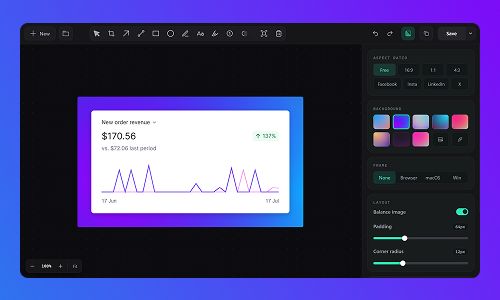
Lumshot is a modern screenshot and visual communication tool that helps developers, designers, and teams capture, annotate, record, and share faster with AI Auto Paste, Jira issue creation, OCR, and powerful workflow tools.
Pricing of Lumshot
Forever
- Unlimited screenshots
- Basic annotation tools
- Essential editing tools
- Watermarked exports
- Everything in Free
- OCR text extraction
- AI Auto Paste
- Screen recording
- Scrolling capture
- Smart Redaction
- Jira integration
- Future Pro features
Key Features of Lumshot
Key Features:
Key Specification
| Other Categories: | Screen Recording Software For Mac Screen Recording Software For PC Screen Recording Software Productivity Tools |
|---|---|
| Deployment: | On Premise |
| Customer Support: | |
| Customization: | Yes |
| Languages Support: | English |
Who uses Lumshot

Personal

SMEs

Agencies
Company Details
| Company Name: | Lumshot |
|---|---|
| Headquarter: | Dhaka , Dhaka Bangladesh |
| Social Media: |
Lumshot Description
Most Popular Software



Lumshot Video/Screenshots
User Reviews

Frequently Asked Questions (FAQs)
The user group of Lumshot are as follows :
- Personals
- SMEs
- Agencies
Lumshot has 2 plans,
- Free USD 0 Forever
- Pro Lifetime USD 29 1
Lumshot is not allowing Free Trial.
The key featuers of Lumshot are as follows :
- Screen Capture
- Collaboration
- Social Network Sharing
- Image Editor
- Screenshot
- No Account Required
- User Friendly Interface
Lumshot pricing model : Onetime(Perpetual License)
Lumshot is Offline Software.
Yes
Lumshot offers Email support.
Lumshot provides Help Guides for the software training.


