 0.0
0.0
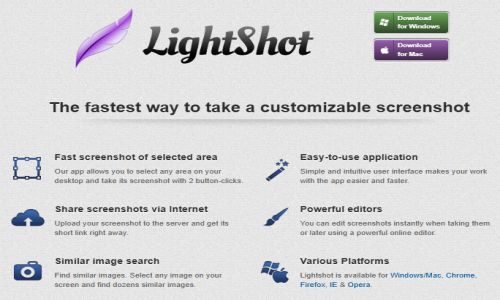
Lightshot is a free, lightweight screenshot tool developed by Skillbrains, designed for Windows and macOS users. It enables quick and intuitive screen captures with minimal effort. By pressing the Print Screen key (or a customizable hotkey), users can select any area of their screen to capture. The application offers immediate editing capabilities, allowing annotations with text, arrows, shapes, and highlights. Screenshots can be saved locally in formats like PNG, JPEG, or BMP, copied to the clipboard, or uploaded to Lightshot’s server to generate a shareable link. Additionally, Lightshot features a unique reverse image search, enabling users to find similar images online. Available as a desktop application and as browser extensions for Chrome, Firefox, Internet Explorer, and Opera, Lightshot provides a seamless experience for capturing and sharing screenshots.
Pricing of Lightshot

Key Features of Lightshot
Key Features:
Key Specification
| Other Categories: | Image Recognition Software Image Optimization Software Website Screenshot Software |
|---|---|
| Deployment: | Cloud Hosted,Hybrid,Any |
| Customer Support: | Phone,Email,Live Chat |
| Customization: | No |
| Languages Support: | Chinese, English, French, German, Italian, Japanese, Portuguese, Russian, Spanish |
Who uses Lightshot

Personal

StartUps

SMEs

Agencies

Enterprises
Company Details
| Company Name: | Skillbrains |
|---|---|
| Headquarter: | Russia |
| Social Media: |
Lightshot Description
Most Popular Software



Alternative



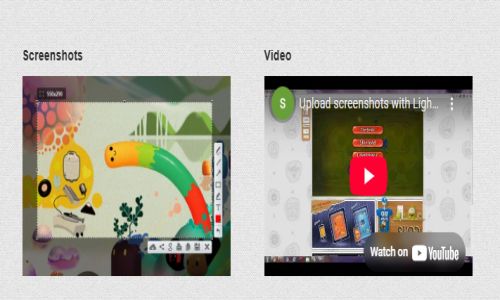
Lightshot Video/Screenshots

User Reviews

Frequently Asked Questions (FAQs)
The user group of Lightshot are as follows :
- Personals
- Startups
- SMEs
- Agencies
- Enterprises
Lightshot has 0 plans.
Lightshot is not allowing Free Trial.
Lightshot pricing model : Transaction
Lightshot is Cloud Hosted,Hybrid,Any Software.
No
Lightshot offers Phone,Email,Live Chat support.
Lightshot provides Help Guides,Video Guides,Blogs,Webinars,Case Studies,Whitepapers for the software training.