


 0.0
0.0
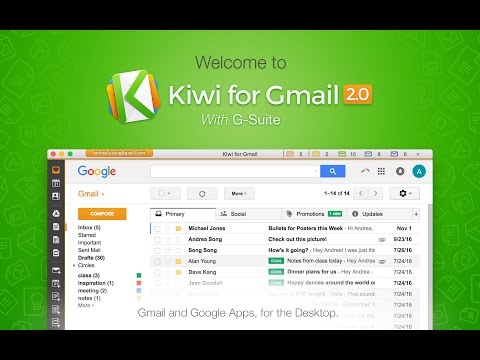
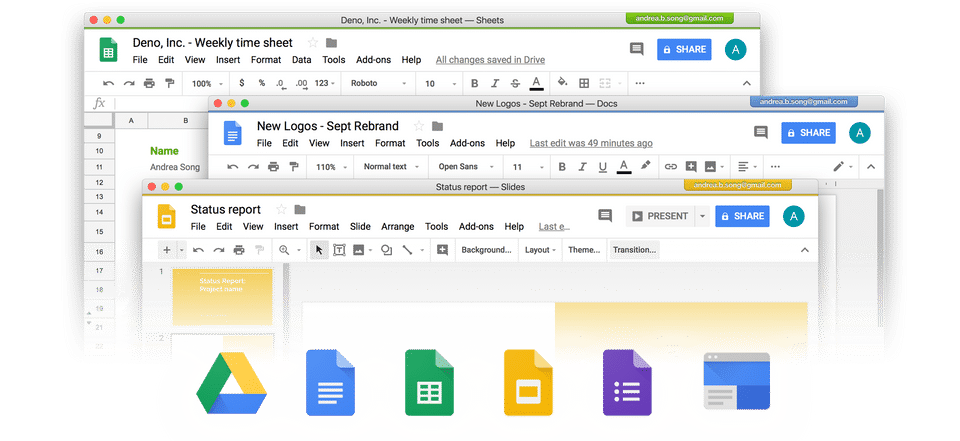
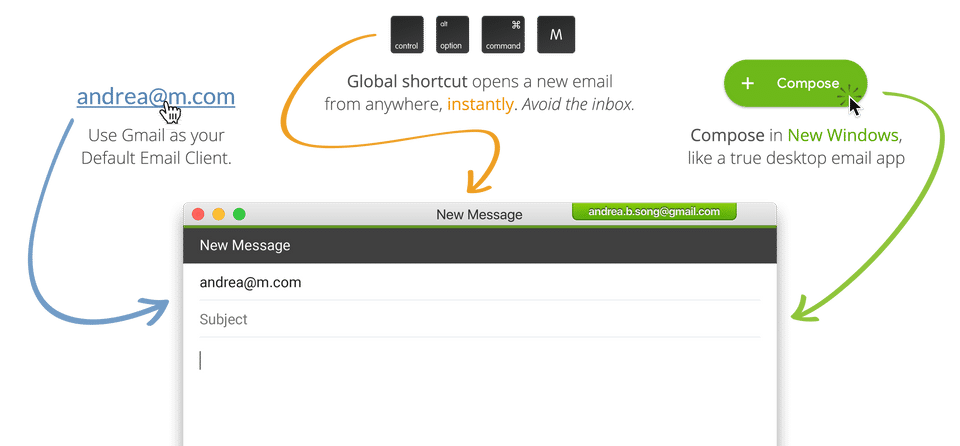
Kiwi for Gmail is a desktop application that allows users to manage Gmail and Google's office suite outside the browser. It is powered by an intuitive engine that allows multiple accounts to be used at the same time without any conflicts. Kiwi can smoothly collaborate with other Google products, such as Drive, Docs, Sheets, etc., making them work as a full desktop suite with native windows solutions. The software also offers a focus filtered inbox functionality that redefines the inbox by offering essential emails in a small list that can be marked accordingly with Google AI. Besides availing a new compose window, users can track down any lost documents in an instant. With the ability to function even on multiple screens, Kiwi for Gmail comes equipped with a variety of windows for Workspace apps to facilitate multitasking. The application eases file sharing with a few clicks and sets Gmail as the default email client automatically.
Pricing of Kiwi for Gmail
- Full Email Client
- Multi-Window Interface
- Default Email Handler
- Dropdown
- Clean Compose Windows
- Real Desktop Notifications
- Streamlined Interface
- Gestures
- Enhanced Gmail Security
- G Suite Integration
- New Document Menu
- Open Application Menu
- Directly Open Google App Files
- Restore Windows on Restart
- Keyboard Global Shortcuts
- Important-Only Notifications
- Do Not Disturb
- Accounts: 2
- Account Color Themes: 3
- Full Email Client
- Multi-Window Interface
- Default Email Handler
- Dropdown
- Clean Compose Windows
- Real D
- Full Email Client
- Multi-Window Interface
- Default Email Handler
- Dropdown
- Clean Compose Windows
- Real Desktop Notifications
- Streamlined Interface
- Gestures
- Enhanced Gmail Security
- G Suite Integration
- New Document Menu
- Open Application Menu
- Directly Open Google App Files
- Restore Windows on Restart
- Keyboard Global Shortcuts
- Important-Only Notifications
- Do Not Disturb
- Accounts: 6
- Account Color Themes: 10
- Focus Filtered Inbox
- Gmail Plugins
- Full Email Client
- Multi-Window Interface
- Default Email Handler
- D
- Full Email Client
- Multi-Window Interface
- Default Email Handler
- Dropdown
- Clean Compose Windows
- Real Desktop Notifications
- Streamlined Interface
- Gestures
- Enhanced Gmail Security
- G Suite Integration
- New Document Menu
- Open Application Menu
- Directly Open Google App Files
- Restore Windows on Restart
- Keyboard Global Shortcuts
- Important-Only Notifications
- Do Not Disturb
- Accounts: 9
- Account Color Themes: 10
- Focus Filtered Inbox
- Gmail Plugins
- Integrated Cloud Search
- Unified Billing
- Simplified Deployment
- En
Key Specification
| Other Categories: | New Saas Software |
|---|---|
| Deployment: | Cloud Hosted |
| Customer Support: | Online (Ticket) |
| Customization: | No |
| Languages Support: | English |
Who uses Kiwi for Gmail

SMEs

Enterprises
Company Details
| Company Name: | Kiwi for Gmail |
|---|---|
| Headquarter: | NA, |
| Social Media: |
Most Popular Software


Alternative
Kiwi for Gmail Video/Screenshots
User Reviews

Frequently Asked Questions (FAQs)
The user group of Kiwi for Gmail are as follows :
- Enterprises
- SMEs
- SMEs
Kiwi for Gmail has 3 plans,
- Lite Version (Mac) USD 0.00
- Full Version (Mac and Windows) USD 29.99 /Year
- Enterprise Version (Mac and Windows) USD 84.00 /User/Year
Kiwi for Gmail is allowed 0 Days Free Trial.
Kiwi for Gmail pricing model : Onetime(Perpetual License)
Kiwi for Gmail is Online Software.
No
Kiwi for Gmail offers Online (Ticket) support.
Kiwi for Gmail provides Help Guides,Blogs,Video Guides for the software training.


