Google Search Console

By Google Search Console

0.0
Rating out of 5 Based on 0 reviews

What is Google Search Console?

Google Search Console (GSC), previously known as Google Webmaster Tools, gives site owners and entrepreneurs statistics and tools to check indexing reputation, search visibility, crawling problems, keyword overall performance, and more. GSC is not required for a website to appear in seek outcomes, however is necessary for optimizing visibility and technical fitness.

Pricing of Google Search Console

Google Search Console

USD 0.00
USD 0.00

Buy Now
  • Optimize your content with Search Analytics
  • Get content on Google
  • Get alerted on issues and fix your site
  • Understand how Google Search sees your pages
  • Optimize and enhance your site AMP Mobile Usability Rich Results
  • AMP
  • Mobile Usability
  • Rich Results
  • Optimize your content with Search Analytics
  • Get content on Google
  • Get alerted on issues and fix your site
  • Understand how Google Search sees your pages
  • Optimize and enhance your site AMP Mobile Usability Rich Results
  • Rich Results
  • Mobile Usability

Awards & Badges Received

Get More Awards & Badges from Techimply
Badge-1
Badge-2
Badge-3

Key Features of Google Search Console

Key Features:
  • A/B Testing
  • Auditing
  • Competitor Analysis
  • Dashboard
  • Keyword Tracking
  • Link Management
  • Mobile Search Tracking
  • Rank Tracking
  • Revenue Management
  • User Management

Key Specification

Other Categories: SEO Software Website Optimization Tools Software SEO Software For Free
Deployment: Cloud Hosted
Customer Support: Online (Ticket)
Customization: No
Languages Support: English

Who uses Google Search Console

SMEs
SMEs
Enterprises
Enterprises

Company Details

Company Name: Google Search Console
Headquarter: Mountain View,
Social Media:

Google Search Console Description

Why Choose Google Search Console?

  • Essential search engine marketing Diagnostics: GSC is essential for every person who wants to tune, improve, or defend their website’s search performance.
  • Completely Free: It is free to use for any website, irrespective of the platform.
  • Actionable Alerts: Get real-time notifications about indexing, safety, and technical issues that may at once impact seek scores.

Benefits of Google Search Console

  • Improve SERP Ranking: Discover and fix on-page issues to climb better in search results.
  • Increase Organic Traffic: Analyze search queries, clicks, impressions, and CTR to optimize content and outperform competitors.
  • Optimize for User Experience: Use mobile usability and location speed reports to enhance technical SEO and loading instances.
  • Backlink and Index Analysis: Monitor who links to your website online and which pages are indexed or are dealing with problems.

How to Use Google Search Console

  • Sign in with a Google account and upload the website as a property.
  • Verify ownership using one of several supported methods (DNS, HTML report, Analytics).
  • Submit a sitemap for better crawling, test index coverage for mistakes, and use the URL inspection device to check individual pages.
  • Regularly evaluate overall performance, index, and coverage reviews to seek energy.
  • Link with Google Analytics for deeper integrations.

Features of Google Search Console

  • Performance Report: Track impressions, clicks, CTR, and average position for queries and pages.
  • Index Coverage: Identify which pages are indexed and diagnose technical errors.
  • URL Inspection Tool: Diagnose specific page issues, such as canonicalization, crawling, and rendering.
  • Sitemap Submission: Manage and screen XML sitemaps for higher indexing.
  • Mobile Usability: Diagnose troubles affecting cellular customers.
  • Security Notifications: Get indicators for site hacking or malware.
  • Link Analysis: Discover internal/external backlinks and recognize their effect.

Google Search Console Demo

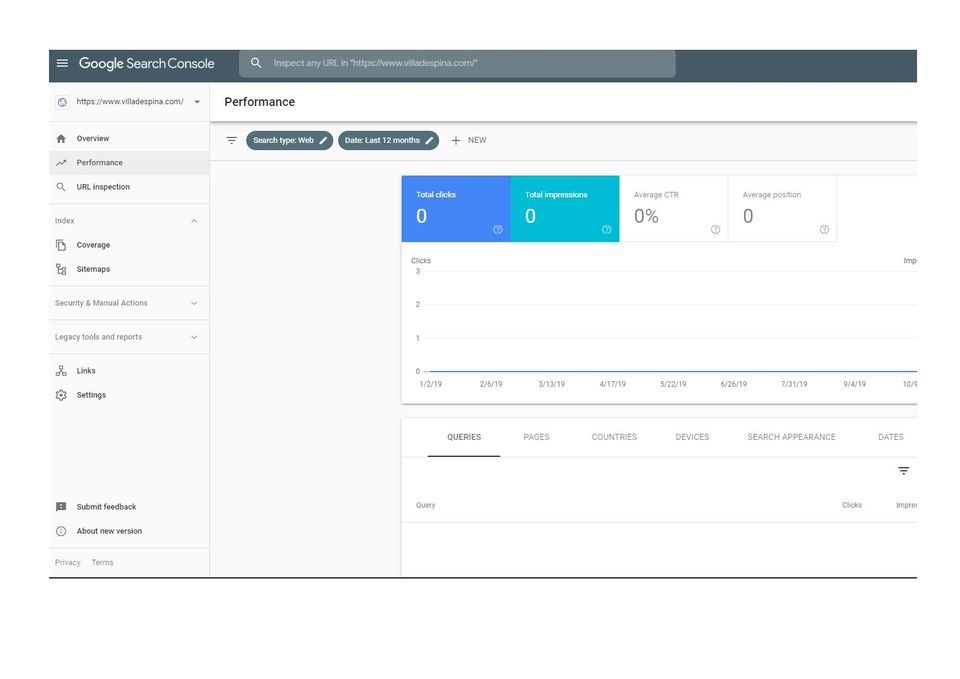
The GSC interface offers dashboards with tabs for overall performance, coverage, enhancements (like mobile usability), and links. The overall performance phase, mainly, gives interactive charts for queries, impressions, clicks, and average positions, making it easy to research search engine optimization records at a glance. Step-with the aid of-step setup and interactive courses are to be had in the platform for new users.

Google Search Console Pricing

Contact Techimply for pricing.

Alternative

RankPrompt

Check Your Brand’s Visibility in AI Assistants

0.0
Rating out of 5 Based on 0 reviews

Semrush

Get measurable results from online marketing

0.0
Rating out of 5 Based on 0 reviews

Diginius Insight

Diginius Insight Your Sales and Marketing Platform

0.0
Rating out of 5 Based on 0 reviews

Google Search Console Video/Screenshots

User Reviews

no-reviews
Share your experience! Be the very first reviewer. Write a Review

Frequently Asked Questions (FAQs)

The user group of Google Search Console are as follows :

  • SMEs
  • Enterprises

Google Search Console has 1 plans,

  • Google Search Console USD 0.00

Google Search Console is not allowing Free Trial.

The key featuers of Google Search Console are as follows :

  • A/B Testing
  • Auditing
  • Competitor Analysis
  • Dashboard
  • Keyword Tracking
  • Link Management
  • Mobile Search Tracking
  • Rank Tracking
  • Revenue Management
  • User Management

Google Search Console pricing model : Onetime(Perpetual License)

Google Search Console is Online Software.

No

Google Search Console offers Online (Ticket) support.

Google Search Console provides Help Guides,Video Guides,Blogs for the software training.