Crreo

Text to Video AI Tool

0.0
Rating out of 5 Based on 0 reviews

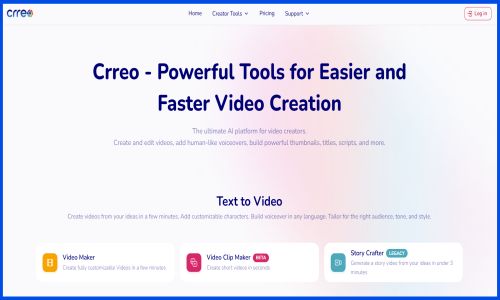
Crreo is an AI-powered platform for long-form video creation. We help creators and teams turn ideas into publish-ready videos in minutes, without technical skills.

Our flagship AI Video Maker creates videos with high-quality scenes, consistent characters, multilingual voiceovers, customized background music, auto-generated thumbnails, and more.

Pricing of Crreo

Start

USD 6
USD 0.00

Buy Now

Free

USD 0
USD 0.00

Buy Now

Grow

USD 12
USD 0.00

Buy Now

Pro Unlimited

USD 24
USD 0.00

Buy Now

Key Features of Crreo

Key Features:
  • Voiceover Recording
  • Automated Image & Video Editing
  • Video Editing Tools

Key Specification

Other Categories: Video Editing Software Video Management Software Text To Speech Software AI Image Generators Generative AI Tool
Deployment: Cloud Hosted
Customer Support: Phone,Email
Customization: Yes
Languages Support: English

Who uses Crreo

Personal
Personal
StartUps
StartUps
SMEs
SMEs
Agencies
Agencies
Enterprises
Enterprises

Company Details

Company Name: Crreo
Headquarter: San Francisco, California United States
Social Media:

Crreo Description

Crreo distinguishes itself with an all-in-one platform that combines script writing, voiceover, and visual generation tools in a single workflow, eliminating the need to switch between multiple programs. This unified approach helps busy content creators and small marketing teams maximize their production output while maintaining brand consistency. Crreo's simplified interface makes professional-quality video production accessible to creators at any skill level, filling the gap between complex editing software and basic template-based tools.

We built Crreo to help creators with every step of the content creation process, from ideation to production of all visual and audio assets. We give creators superpowers to create better content faster and more easily.
 

How do I create my first videos using Crreo AI?

Simply follow our 5-step process:

  1. Start: Enter your idea/topic (for Auto Script mode) or your pre-written script (for Manual Script Mode). Customize style, voice, tone, duration, and language via ‘Select Style’.
  2. Add character: Choose from templates or create new ones.
  3. Storyboard: Reorganize, edit, or delete the generated scenes to match your vision.
  4. Review and finalize: Use the timeline to access and fine-tune all the assets of your video—visuals, speech, music/sound effects, and the thumbnail.
  5. Export: Finalize your complete video, then share or download it!

Alternative

elevenlabs

Bringing technology to life

0.0
Rating out of 5 Based on 0 reviews

ngram

Polished, on-brand AI videos for product and marketing teams

0.0
Rating out of 5 Based on 0 reviews

Murf AI

By Murf AI

0.0
Rating out of 5 Based on 0 reviews

Crreo Video/Screenshots

User Reviews

no-reviews
Share your experience! Be the very first reviewer. Write a Review

Frequently Asked Questions (FAQs)

The user group of Crreo are as follows :

  • Personals
  • Startups
  • SMEs
  • Agencies
  • Enterprises

Crreo has 4 plans,

  • Start USD 6
  • Free USD 0
  • Grow USD 12
  • Pro Unlimited USD 24

Crreo is allowed 7 Days Free Trial.

The key featuers of Crreo are as follows :

  • Voiceover Recording
  • Automated Image & Video Editing
  • Video Editing Tools

Crreo pricing model : Yearly,Monthly

Crreo is Online Software.

Yes

Crreo offers Phone,Email support.

Crreo provides Help Guides,Video Guides,Blogs,Infographics for the software training.