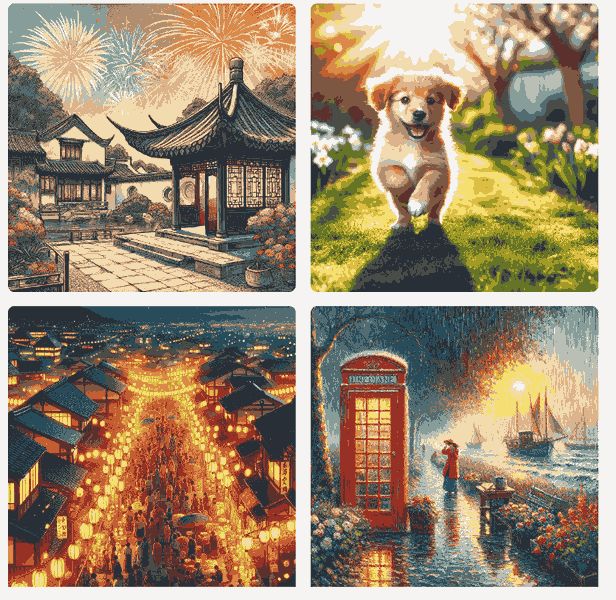
Bing Image Creator

Create images from words with AI

0.0
Rating out of 5 Based on 0 reviews

Bing Image Creator is an AI-powered image generation tool developed by Microsoft. It allows users to create high-quality images simply by typing descriptive text prompts. Using the powerful DALL·E model by OpenAI, Bing Image Creator transforms words into visually appealing graphics, illustrations, or digital artworks within seconds. Whether for professional design projects, educational visuals, or personal creativity, it is accessible directly through the Bing search engine and Microsoft Edge browser. The tool requires no design skills, making it ideal for marketers, educators, content creators, and everyday users looking to visualize their ideas instantly.

Pricing of Bing Image Creator

no-pricing
For get detailed pricing as per your requirements.

Awards & Badges Received

Get More Awards & Badges from Techimply
Badge-1
Badge-2
Badge-3

Key Features of Bing Image Creator

Key Features:
  • Text in Image
  • Effects and Filters
  • Text To Speech
  • Api Access
  • Text To Image Conversion
  • High Resolution Outputs
  • API Integration
  • Text To Image Generation
  • Image Editing Tools
  • Batch Processing
  • Multiple Art Styles

Key Specification

Other Categories: Artificial Intelligence Software Image Recognition Software Image Optimization Software
Deployment: Cloud Hosted
Customer Support: Phone,Email,Live Chat,Online (Ticket)
Customization: Yes
Languages Support: English

Who uses Bing Image Creator

StartUps
StartUps
SMEs
SMEs
Agencies
Agencies
Enterprises
Enterprises

Company Details

Company Name: Microsoft Corporation
Headquarter: Redmond, Washington United States
Social Media:

Bing Image Creator Description

Bing Image Creator is a cutting-edge artificial intelligence software designed to generate digital images from text prompts. Powered by OpenAI’s DALL·E technology, this software brings creative visions to life using simple user instructions. Unlike traditional image editing or creation platforms that require graphic design knowledge, Bing Image Creator removes all complexity and enables users of all experience levels to create visually compelling artwork.

This platform is ideal for content creators, educators, marketers, and anyone in need of quick, AI-generated visuals. Whether it's for blog content, social media, presentation decks, or personal use, Bing Image Creator simplifies the process. The software works via Microsoft’s Bing search engine or through Edge, where users can enter a prompt such as "a sunset over a futuristic city," and the tool instantly generates multiple high-resolution image options.

With Bing Image Creator demo, users can explore its capabilities without any cost, experiencing real-time image generation using AI. The Bing Image Creator pricing model is integrated with Microsoft Rewards, meaning users earn or use credits to generate images, with extra image boosts available under specific Microsoft plans. The free tier is sufficient for casual users, while more intensive users can opt for upgraded plans with more credits.

The Bing Image Creator features include rapid image rendering, a user-friendly interface, integration with Microsoft products, and access to high-quality image outputs. Additionally, the Bing Image Creator reviews from users are generally positive, praising its ease of use, creative potential, and high-quality image generation.

What sets this tool apart is its seamless integration with daily workflows—being accessible right from Bing search results or Edge browser ensures it's always within reach. The Bing Image Creator demo allows new users to get hands-on experience before committing to any plan. With multiple customization options, prompt refinement, and continual updates, it remains a top AI image generator.

Whether you're exploring Bing Image Creator pricing for personal use or need it professionally, it offers scalable value. Overall, Bing Image Creator reviews suggest it is one of the most intuitive and powerful AI image generation tools available today.

Key Features & Specifications

  • AI-Powered Image Generation (using DALL·E model)
  • Free-to-use tier with Microsoft Rewards credit system
  • Quick and responsive interface
  • Multiple image variations per prompt
  • Integrated with Bing and Microsoft Edge
  • Regular updates and prompt improvement suggestions
  • No design skills required
  • Export and share capabilities for digital media

Alternative

Durable

Durable Pricing - Launch your site for $0 in seconds

0.0
Rating out of 5 Based on 0 reviews

Emergent

Emergent handles every aspect of software development so you can focus on what matters most

0.0
Rating out of 5 Based on 0 reviews

smartli

Create high-converting and compelling product descriptions with AI

0.0
Rating out of 5 Based on 0 reviews

Bing Image Creator Video/Screenshots

User Reviews

no-reviews
Share your experience! Be the very first reviewer. Write a Review

Frequently Asked Questions (FAQs)

The user group of Bing Image Creator are as follows :

  • Startups
  • SMEs
  • Agencies
  • Enterprises

Bing Image Creator has 0 plans.

Bing Image Creator is allowed 0 Days Free Trial.

Bing Image Creator pricing model : Yearly,Monthly

Bing Image Creator is Online Software.

Yes

Bing Image Creator offers Phone,Email,Live Chat,Online (Ticket) support.

Bing Image Creator provides Help Guides,Blogs for the software training.