Bandicam

0.0
Rating out of 5 Based on 0 reviews

What is Bandicam?
Bandicam is a lightweight screen recording software for Windows that allows users to capture high-quality video of their desktop, gameplay, webcam, or external devices. Known for its performance and compression efficiency, Bandicam records in HD and 4K, offering various modes like screen, game, and device recording. It supports real-time drawing, webcam overlay, scheduled recording, and audio capture. With minimal impact on system performance, Bandicam is ideal for content creators, educators, gamers, and professionals who need reliable, high-fidelity recordings for tutorials, gameplay, webinars, or presentations.

Pricing of Bandicam

no-pricing
For get detailed pricing as per your requirements.

Key Features of Bandicam

Key Features:
  • 3D Video Editing
  • Audio Capture
  • Video Capture
  • Video Editing
  • Merge video
  • Split Video
  • Video Speed Controller
  • Media Library
  • Video Stabilization
  • Video
  • Video Trimming
  • Voiceover Recording
  • Screenshot

Key Specification

Other Categories: Video Editing Software Screen Recording Software Game Localization Software Webcam Software
Deployment: On Premise
Customer Support: Email
Customization: Yes
Languages Support: English, Korean

Who uses Bandicam

Personal
Personal
StartUps
StartUps
SMEs
SMEs

Company Details

Company Name: Bandicam
Headquarter: Seoul, South Korea
Social Media:

Bandicam Description

Why Choose Bandicam?

  • Offers high compression rates without sacrificing video quality.

  • Specialized recording modes for screen, games, and devices make it flexible.

  • Minimal system impact ensures smooth performance even during intensive tasks.

  • Suitable for gamers, educators, YouTubers, and business professionals.

  • No need for complex setup—plug and play functionality.

Benefits of Bandicam

  • Records HD and 4K videos with clarity and low lag.

  • Allows simultaneous system audio and microphone capture.

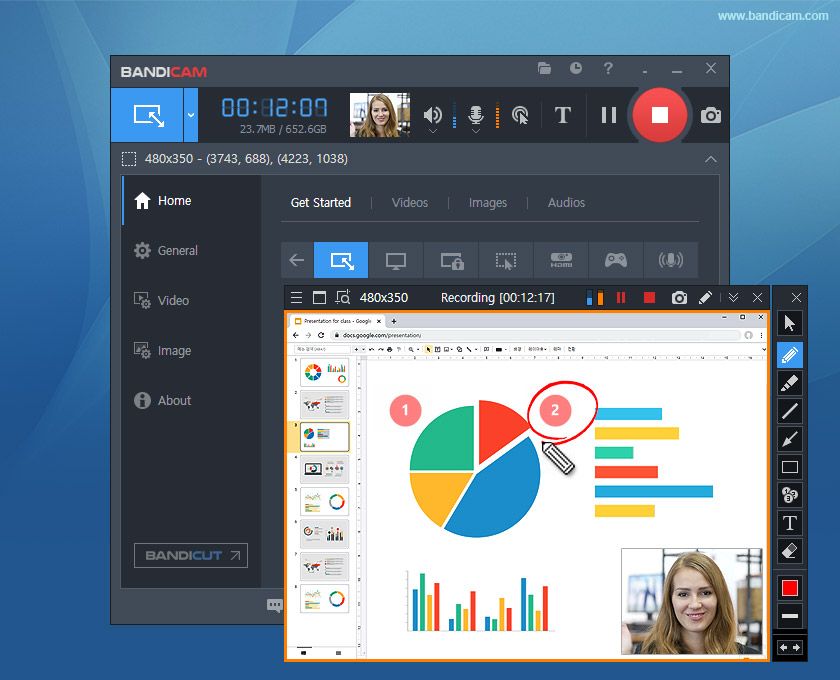
  • Adds annotations and drawings in real time during recording.

  • Saves storage space via efficient video compression.

  • Supports scheduled recordings for hands-free operation.

How to Use Bandicam

  • Download and install Bandicam on your Windows device.

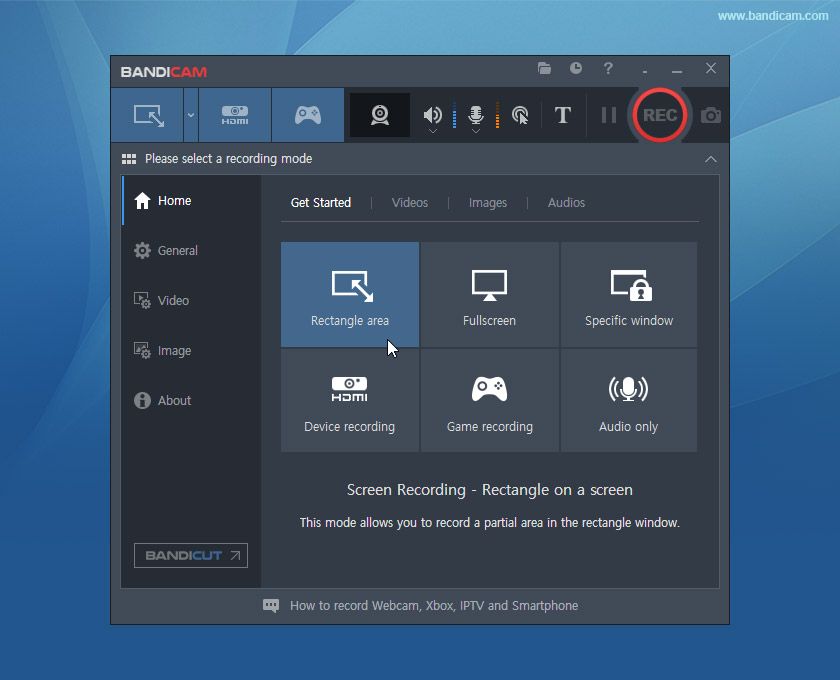
  • Select a recording mode: Screen, Game, or Device.

  • Adjust settings like resolution, audio sources, and hotkeys.

  • Click the “REC” button to begin recording.

  • Use real-time drawing tools if needed.

  • Save, edit, or upload your recording after completion.

Features of Bandicam

  • Screen, Game, and Device recording modes.

  • Real-time drawing and webcam overlay.

  • Mouse click effects and cursor highlighting.

  • Scheduled recording and auto-stop features.

  • Supports hardware acceleration for better performance.

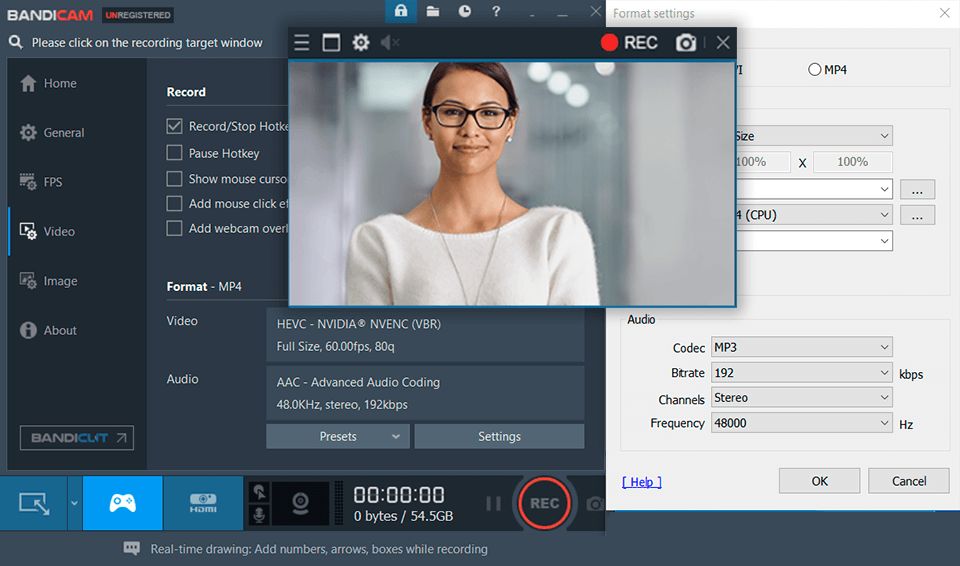
  • Saves in various formats (AVI, MP4).

  • Chroma key (green screen) for webcam footage.

What Makes Bandicam Different?

  • Combines high-quality video output with low CPU usage.

  • Multiple recording modes cater to diverse content creators.

  • Efficient file compression saves disk space without compromising clarity.

  • Offers tools like real-time annotation and mouse effects not found in all screen recorders.

Who Can Benefit from Bandicam?

  • Gamers: Record high-resolution gameplay with low latency.

  • Educators: Create instructional videos with on-screen annotations.

  • Content Creators: Make YouTube videos and tutorials effortlessly.

  • Businesses: Record presentations, product demos, and training sessions.

  • Students: Capture lectures, screen notes, and how-to guides.

Is Bandicam Easy to Use?

  • User-friendly interface with clearly labeled options.

  • Minimal setup time—ready to record in minutes.

  • Intuitive hotkeys and toolbar make navigation simple.

  • Lightweight installation with low system demand.

  • Suitable for users of all technical skill levels.

What Support Does Bandicam Offer?

  • Official website with detailed FAQs, guides, and video tutorials.

  • Email-based customer support for technical assistance.

  • Online forums for peer help and community discussions.

  • Regular updates and bug fixes ensure software reliability.

  • Trial version available for evaluation before purchase.

Alternative

ngram

Polished, on-brand AI videos for product and marketing teams

0.0
Rating out of 5 Based on 0 reviews

Vmaker

By Vmaker

0.0
Rating out of 5 Based on 0 reviews

Screencastify

By Screencastify

0.0
Rating out of 5 Based on 0 reviews

Bandicam Video/Screenshots

User Reviews

no-reviews
Share your experience! Be the very first reviewer. Write a Review

Frequently Asked Questions (FAQs)

The user group of Bandicam are as follows :

  • Personals
  • Startups
  • SMEs

Bandicam has 0 plans.

Bandicam is allowed 7 Days Free Trial.

Bandicam pricing model : Yearly,Monthly

Bandicam is Offline Software.

Yes

Bandicam offers Email support.

Bandicam provides Help Guides,Video Guides,Blogs,Infographics for the software training.