AutoCAD

By Autodesk

0.0
Rating out of 5 Based on 0 reviews

What is AutoCAD?

AutoCAD is a most efficient laptop-aided design (CAD) software developed by way of Autodesk. It is the industry-general tool utilized by thousands and thousands of professionals worldwide to create, draft, and record precise 2D geometry and problematic 3-d models. It transforms manual drafting into an efficient, virtual workflow. Start your design adventure with an autocad free download trial!

Pricing of AutoCAD

Subscription

USD 235.00
USD 0.00

Per Month

Buy Now
  • Autocad Anywhere
  • Blocks Palette
  • Count; Trace; Share; Push to Autodesk Docs
  • Drawing History
  • Floating Windows
  • Xref Compare

Key Features of AutoCAD

Key Features:
  • 3D Modeling
  • Rendering
  • Drag & Drop
  • Content Library
  • 2D Drawing

Key Specification

Other Categories: Animation Software 3d Architecture Software Architecture Software 3D Modeling Software
Deployment: Cloud Hosted,Hybrid,On Premise,Any
Customer Support: Email
Languages Support: English

Who uses AutoCAD

StartUps
StartUps
SMEs
SMEs
Agencies
Agencies
Enterprises
Enterprises

Company Details

Company Name: Autodesk
Headquarter: United States
Social Media:

AutoCAD Description

Who Uses AutoCAD?

  • Architects: For detailed floor plans, elevations, and structural drawings.
  • Engineers (Civil, Mechanical, Electrical): For designing components, systems, and infrastructure layouts.
  • Interior Designers: For space making plans, furnishings layouts, and 3-D client visualizations.
  • Drafters & Technicians: To produce all types of technical documentation and shop drawings.
  • Students & Educators: Gaining important industry competencies thru the specialized autocad student license.

Why Choose AutoCAD?

Choose AutoCAD for its unmatched precision, pace, and industry-extensive popularity. It guarantees your autocad drawing documents are well suited with almost each different expert globally. It offers specialised toolsets for distinctive industries and allows you to work seamlessly throughout desktop, net (attempt autocad on-line), and cell. Master this vital talent with a dedicated autocad course to accelerate your career.

Benefits of AutoCAD

  1. Unrivaled Accuracy: Design with minute precision, eliminating the errors and inconsistencies of guide drafting.
  2. Increased Productivity: Automate repetitive obligations the use of macros, custom equipment, and reusable blocks to store sizable time.
  3. Universal Compatibility: The native DWG file format is the enterprise fashionable for sharing and collaborating across disciplines.
  4. Effortless Revision: Easily alter, scale, and replace complex designs while not having to restart the drawing process.
  5. 3-d Visualization: Create practical 3-D models and renderings to assist stakeholders visualize the very last product earlier than creation.
  6. Accessibility: Work on and view documents from anywhere using the AutoCAD web and cell apps.

How to Use AutoCAD?

Getting started out with AutoCAD involves mastering core commands and developing an efficient workflow:

  • Learn the Interface: Familiarize yourself with the ribbon, command line, and drawing space.
  • Start with 2D: Begin with the aid of learning fundamental drawing instructions (Line, Circle, Trim) to create a precise autocad drawing.
  • Leverage Layers: Organize your drawing elements (e.G., partitions, dimensions, electrical) using layers for easy management and visibility control.
  • Practice with an autocad path: Enroll in a certified program or find an autocad online educational to construct foundational competencies and study enterprise high-quality practices.
  • Explore 3D Modeling: Transition to three-D capabilities (Extrude, Revolve) to create solid models for visualisation and evaluation.

Features of AutoCAD

  1. 2D Drafting & Documentation: Comprehensive set of equipment for developing, dimensioning, and annotating technical drawings.
  2. 3D Modeling & Visualization: Tools for growing Wireframes, Surfaces, and realistic Solid three-D Models.
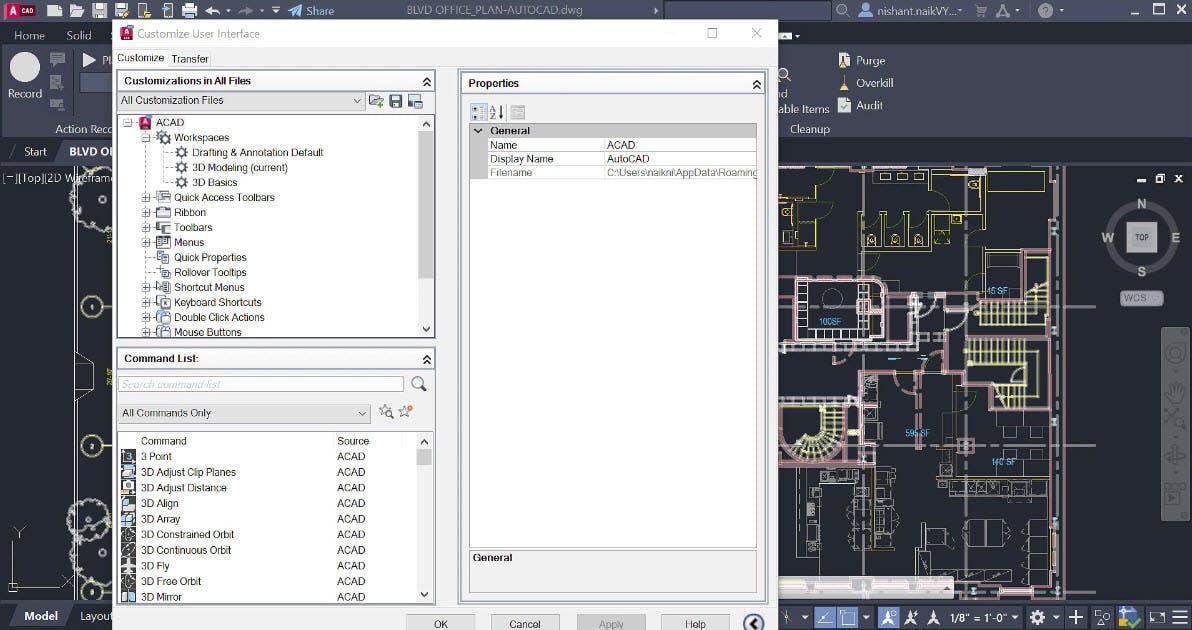
  3. Customizable User Interface: Personalize the workspace, commands, and shortcuts for optimized productivity.
  4. Block Libraries: Insert reusable content material (blocks) like windows, doorways, or furniture to save time and make certain consistency.
  5. External References (Xrefs): Attach other DWG files in your modern-day AutoCAD drawing for collaboration with out merging statistics.
  6. Sheet Set Manager: Organize multiple layouts and print units for green venture output and publishing.
  7. AutoCAD Web & Mobile: View, edit, and create designs on an internet browser or cellular device, connecting on your cloud-saved DWG documents.

Alternative

Adobe Animate

Make anything you can imagine

0.0
Rating out of 5 Based on 0 reviews

Maya

Autodesk Maya: Create expansive worlds, complex characters, and dazzling effects

0.0
Rating out of 5 Based on 0 reviews

Animaker

The Future of Video Making starts here!

0.0
Rating out of 5 Based on 0 reviews

AutoCAD Video/Screenshots

User Reviews

no-reviews
Share your experience! Be the very first reviewer. Write a Review

Frequently Asked Questions (FAQs)

The user group of AutoCAD are as follows :

  • Startups
  • SMEs
  • Agencies
  • Enterprises

AutoCAD has 1 plans,

  • Subscription USD 235.00 Per Month

AutoCAD is allowed 0 Days Free Trial.

The key featuers of AutoCAD are as follows :

  • 3D Modeling
  • Rendering
  • Drag & Drop
  • Content Library
  • 2D Drawing

AutoCAD pricing model : Yearly,Monthly,Onetime(Perpetual License)

AutoCAD is Cloud Hosted,Hybrid,On Premise,Any Software.

AutoCAD offers Email support.

AutoCAD provides Help Guides,Video Guides,Webinars for the software training.