
Adobe Firefly

Adobe Firefly

Adobe Firefly. The ultimate creative AI solution.

0.0
Rating out of 5 Based on 0 reviews

What is Adobe Firefly?

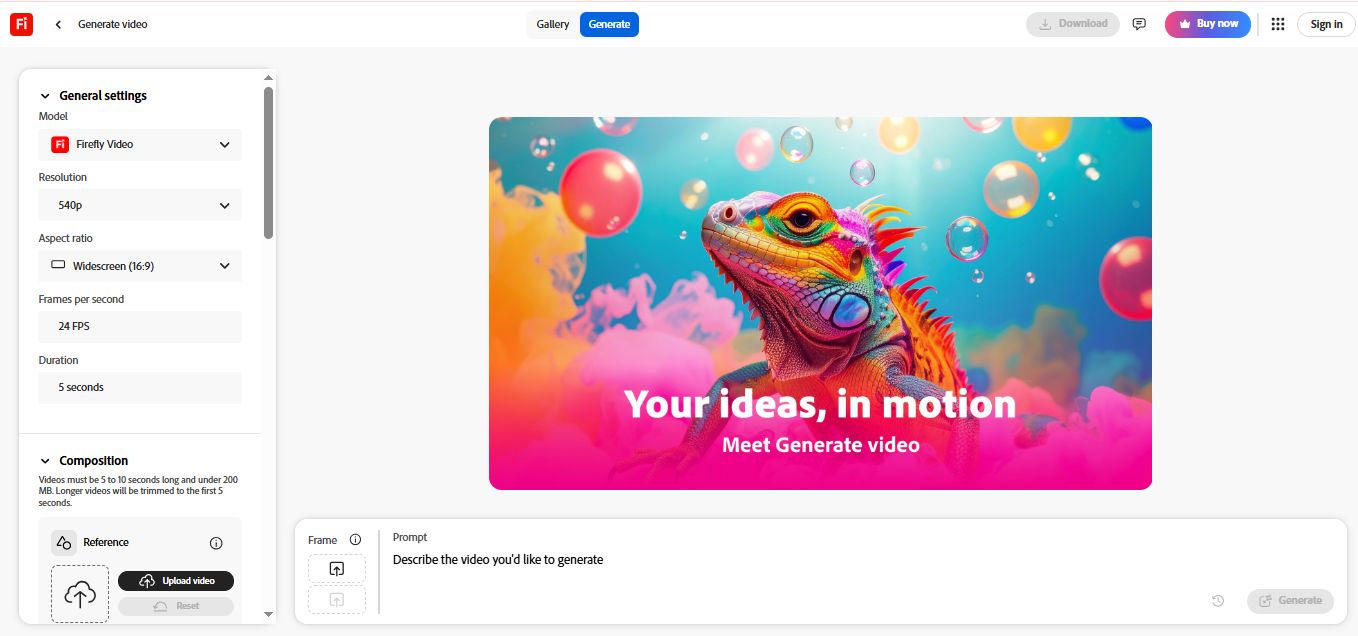
Adobe Firefly is a powerful suite of generative AI models and tools designed to accelerate creative workflows across images, video, audio, and design. Developed by Adobe, it allows users to create extraordinary content from simple text prompts, making complex creative tasks accessible to everyone. It is the core AI technology integrated directly into Adobe's Creative Cloud apps, such as Photoshop and Adobe Express.

Pricing of Adobe Firefly

Firefly Free

INR Free
INR 0.00

Month

Buy Now
  • Start generating video audio
  • images and more with Firefly creative AI.
  • Firefly on desktop web and mobile
  • Limited generative credits for both standard and premium features
  • Try standard image features and mood boards
  • Try premium video and audio features

Firefly Standard

INR 797.68
INR 0.00

Month

Buy Now
  • Get 2000 credits to quickly create video audio and images.
  • 2000 monthly generative credits
  • Unlimited access to standard image features like Generative Fill mood boards and more
  • Access to premium features like video generation and non-Adobe models (using your monthly credits)
  • Generate up to 20 five-second videos or translate up to 6 minutes of audio or video
  • Adobe Fonts tutorials and more

Firefly Pro

INR 1596.54
INR 0.00

Month

Buy Now
  • Get 4000 credits for creative AI edit with Adobe Photoshop on web and mobile and design with Adobe Express Premium.
  • 4000 monthly generative credits
  • Unlimited access to standard image features like Generative Fill mood boards and more
  • Access to premium features like video generation and non-Adobe models (using your monthly credits)
  • Generate up to 40 five-second videos or translate up to 13 minutes of audio or video
  • Adobe Express Premium
  • Adobe Photoshop on web and mobile (full access)
  • Adobe Fonts

Firefly Premium

INR 15965
INR 0.00

Month

Buy Now
  • 50000 monthly generative credits
  • Unlimited access to standard image features like Generative Fill mood boards and more
  • Unlimited access to Generate Video powered by the Firefly Video Model across Firefly apps
  • Access to premium features like video generation and non-Adobe models (using your monthly credits)
  • Adobe Express Premium
  • Adobe Photoshop on web and mobile (full access)
  • Adobe Fonts tutorials and more

Key Features of Adobe Firefly

Key Features:
  • Audio Capture
  • Video Capture
  • Image Editor
  • Text Overlay
  • Merge video
  • Split Video
  • Video Speed Controller
  • Animation
  • Fast Motion
  • Video Cropping
  • Video Trimming
  • Slow Motion
  • Voiceover Recording
  • Content Generation
  • Audio Mixing
  • AI image vectorizer
  • AI mockup generator
  • image upscaler
  • AI eraser
  • AI photo editor
  • AI Effects
  • AI Speech
  • AI Cut

Key Specification

Other Categories: Video Editing Software Graphic Design Software Graphic Design Software For Mac Graphic Design Software For PC Photo Editing Software AI Image Generators Generative AI Tool
Deployment: Cloud Hosted,Hybrid,Any
Customer Support: Phone,Email,Live Chat
Customization: No
Languages Support: English

Who uses Adobe Firefly

Personal
Personal
StartUps
StartUps
SMEs
SMEs
Agencies
Agencies
Enterprises
Enterprises

Company Details

Company Name: Adobe
Headquarter:
Social Media:

Adobe Firefly Description

Who Uses Adobe Firefly?

Adobe Firefly is built for a wide range of creators, professionals, and businesses, including:

  • Creative Professionals: Graphic designers, photographers, video editors, and digital artists who use Adobe Creative Cloud.

  • Marketing & Social Media Teams: Users who need to quickly generate campaign visuals, social posts, and ad concepts.

  • Content Creators: Individuals and small businesses looking to rapidly prototype ideas, create unique illustrations, and overcome creative blocks.

  • Hobbyists: Anyone who wants to explore AI image generation for personal projects without needing extensive technical skills.

Why Choose Adobe Firefly? (The Firefly Advantage)

Choosing Adobe Firefly gives you three critical advantages: Commercial Safety, Quality, and Integration. It is trained primarily on Adobe Stock's licensed content, ensuring results are generally designed to be commercially safe. It delivers high-quality output and seamlessly integrates with your existing Adobe workflow, instantly enhancing apps like Photoshop with powerful generative editing tools.

Key Benefits of Adobe Firefly

  1. Commercially Safe Content: The core model is trained on licensed Adobe Stock and public domain content, minimizing legal risk for commercial use.

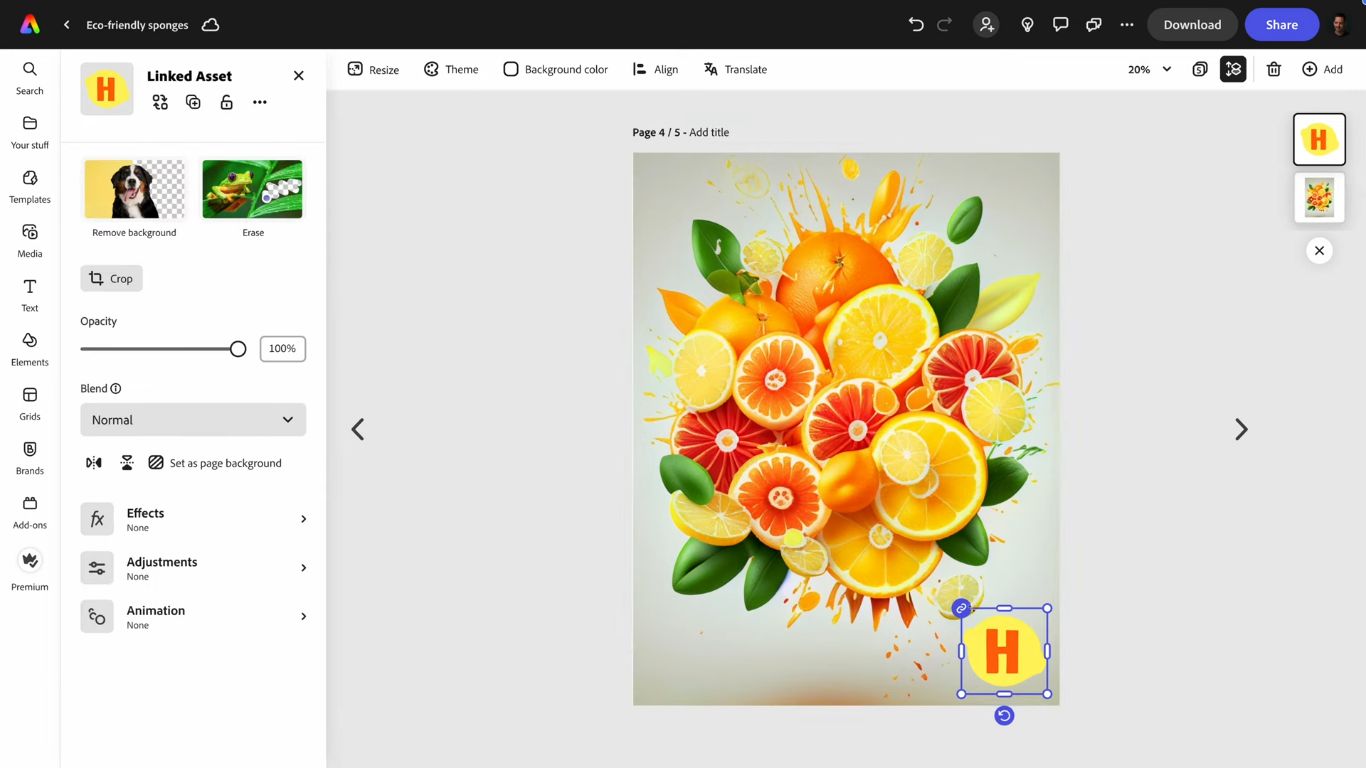
  2. Seamless Integration: Generative AI features are directly accessible within Adobe Photoshop, Illustrator, and Adobe Express, boosting efficiency.

  3. Rapid Ideation & Prototyping: Turn complex text descriptions into high-quality images, vectors, or video clips in seconds.

  4. Generative Editing Power: Effortlessly add, remove, or expand elements in an image while perfectly matching lighting and perspective (e.g., Generative Fill).

  5. Creator Ethics & Transparency: Automatically includes Content Credentials to indicate that the image was created using AI, promoting transparency.

How to Use Adobe Firefly?

Using Adobe Firefly is simple and text-prompt driven:

  1. Access the Tool: Log in to the dedicated Adobe Firefly website or access the features directly within a compatible Creative Cloud application (e.g., Generative Fill in Photoshop).

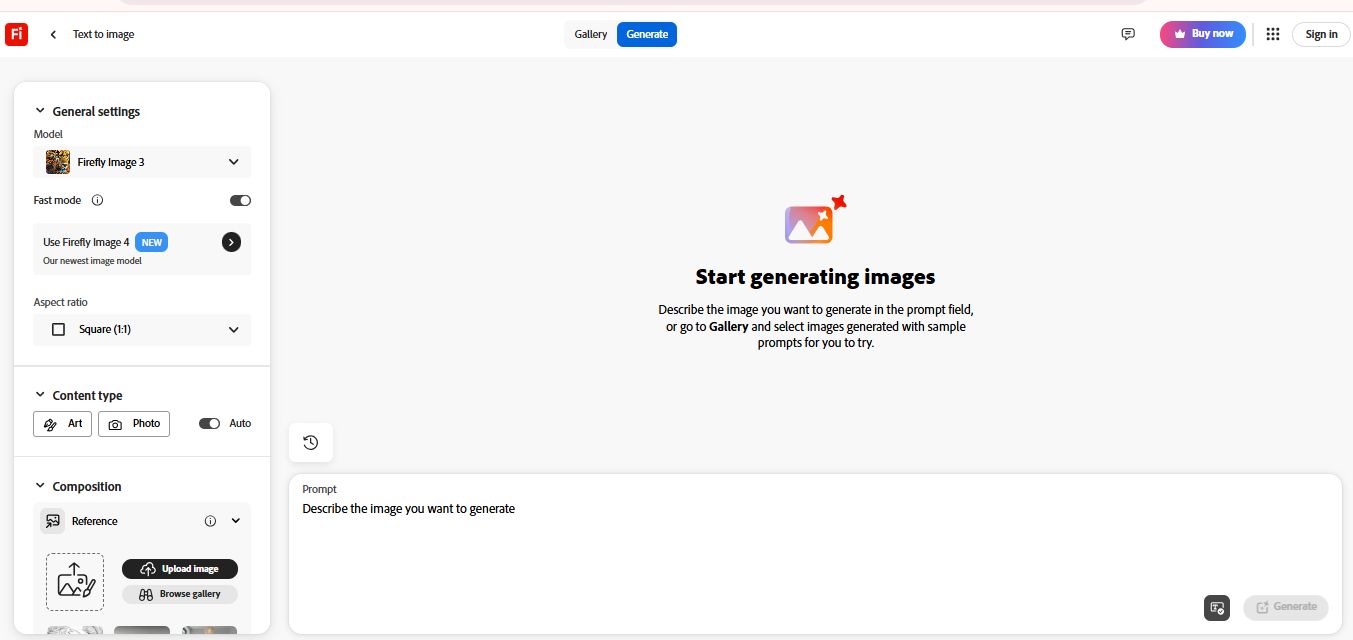
  2. Write a Prompt: Type a descriptive command into the text field (e.g., "A neon pink samurai cat on a motorcycle, cinematic lighting").

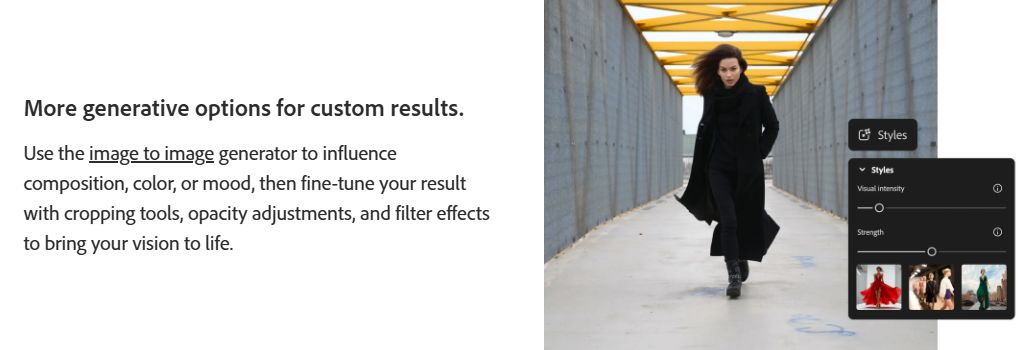
  3. Generate and Refine: The AI generates multiple unique variations. Use the built-in controls to adjust aspect ratio, style, color, and lighting, or use subsequent prompts to edit the generated result.

  4. Export or Edit Further: Download your creation or seamlessly move it to Photoshop or Express for professional refinement.

Powerful Features of Adobe Firefly

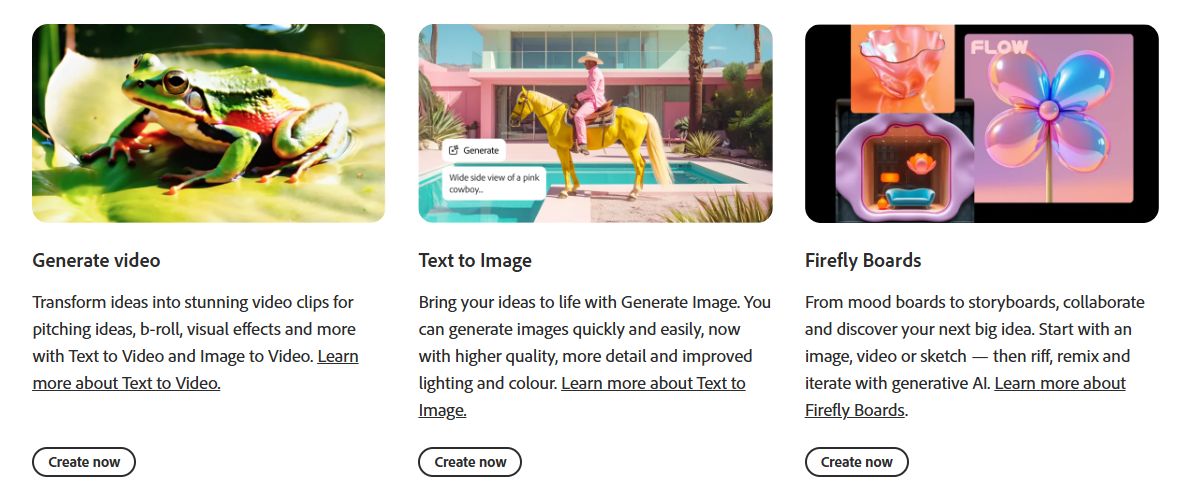
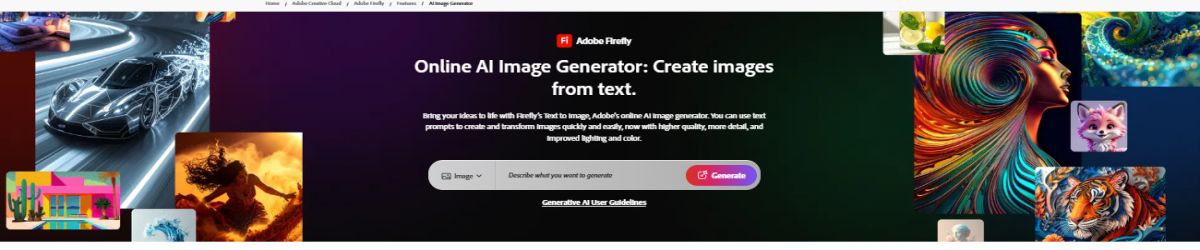
  1. Text to Image Generation: Create unique raster images from detailed text prompts.

  2. Generative Fill: (Photoshop Integration) Use simple prompts to non-destructively add, remove, or replace objects within an image.

  3. Generative Expand: (Photoshop Integration) Automatically expand the canvas and fill in the newly created space with context-aware content.

  4. Text Effects: Apply unique textures and styles to text instantly (e.g., "text made of lava").

  5. Text to Vector Graphic: Generate scalable, editable vector graphics and patterns from text prompts.

  6. Text to Video (Premium): Generate short, high-quality video clips from a simple idea or prompt.

How to Get Demo of Adobe Firefly?

The easiest way to get a "demo" is to jump right in: Adobe Firefly offers a free tier of access. You can sign up with an Adobe ID to start generating images and exploring many of its core features on the Firefly website, using a limited number of Generative Credits per month. For full features, advanced models, and deep integration, a paid subscription or trial of a Creative Cloud app is recommended.

What are the Pricing of Adobe Firefly?

The adobe firefly price is determined by Generative Credits, which are required for using the AI features. The cost of adobe firefly scales with your creative volume:

  • Free Plan: Provides a limited number of Generative Credits each month, allowing you to sample the core features.
  • Adobe Firefly Standard Plan: Typically around $9.99/month. This plan increases your monthly Generative Credits significantly (e.g., 2,000) and often includes the Adobe Express Premium plan.
  • Adobe Firefly Pro Plan: Often priced around $19.99/month. This plan offers a larger volume of credits (e.g., 4,000) and usually includes additional integrated applications like Adobe Photoshop (web and mobile).
  • Creative Cloud All Apps Plan: Includes the maximum allocation of Generative Credits, bundling the full suite of Adobe applications. This is the best value for professionals needing comprehensive access.

Alternative

SmartReach AI

Turn Cold Prospects Into Booked Meetings

0.0
Rating out of 5 Based on 0 reviews

MuleRun

The marketplace to find and run AI agents that solve your problems

0.0
Rating out of 5 Based on 0 reviews

Snowfire

Transform your data into unified decision intelligence

0.0
Rating out of 5 Based on 0 reviews

Adobe Firefly Video/Screenshots

User Reviews

no-reviews
Share your experience! Be the very first reviewer. Write a Review

Frequently Asked Questions (FAQs)

The user group of Adobe Firefly are as follows :

  • Personals
  • Startups
  • SMEs
  • Agencies
  • Enterprises

Adobe Firefly has 4 plans,

  • Firefly Free INR Free Month
  • Firefly Standard INR 797.68 Month
  • Firefly Pro INR 1596.54 Month
  • Firefly Premium INR 15965 Month

Adobe Firefly is allowed 14 Days Free Trial.

The key featuers of Adobe Firefly are as follows :

  • Audio Capture
  • Video Capture
  • Image Editor
  • Text Overlay
  • Merge video
  • Split Video
  • Video Speed Controller
  • Animation
  • Fast Motion
  • Video Cropping
  • Video Trimming
  • Slow Motion
  • Voiceover Recording
  • Content Generation
  • Audio Mixing
  • AI image vectorizer
  • AI mockup generator
  • image upscaler
  • AI eraser
  • AI photo editor
  • AI Effects
  • AI Speech
  • AI Cut

Adobe Firefly pricing model : Yearly,Monthly

Adobe Firefly is Cloud Hosted,Hybrid,Any Software.

No

Adobe Firefly offers Phone,Email,Live Chat support.

Adobe Firefly provides Help Guides,Video Guides,Blogs,Webinars,Case Studies,Whitepapers for the software training.