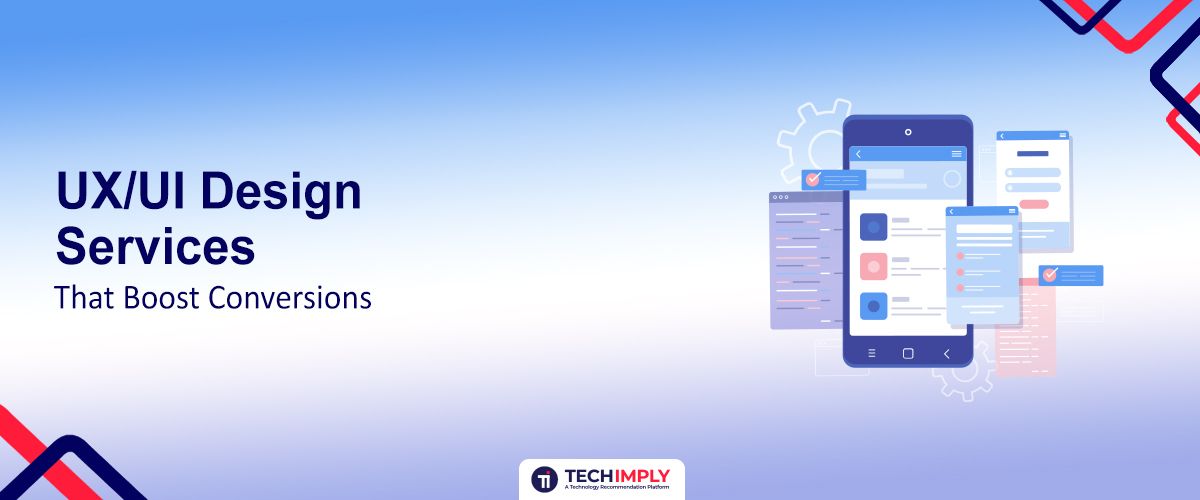
Online, your website or application isn't a pretty face—just a conversion machine. However, without an effectively designed UI/UX, even the most beautiful site will not be able to convert browsers into buyers. UX/UI has nothing to do with appearance but is all about intuitive flow, engaging design pieces, and frictionless interaction leading people to the destination point—conversion.
In this article, we’ll explore how professional UX/UI design services, including effective wireframing, can dramatically boost your conversion rates. We’ll dive deep into the principles, strategies, and real-world case studies that prove the power of great design in driving business growth.
The UX/UI Role in Conversion Optimization
User experience (UX), user interface (UI) design, and UI/UX design thinking go hand in hand to create digital experiences that are not only engaging but also successful. To implement these principles at scale, businesses often partner with expert UI/UX Design teams that specialize in conversion-focused, user-centric digital experiences. UX is all about usability, accessibility, and end-user satisfaction, whereas UI conjures up a visually pleasing and consistent interface. Both of them together are the foundation of any successful digital strategy, directly influencing how users engage with a brand and indirectly determining the conversion rate.
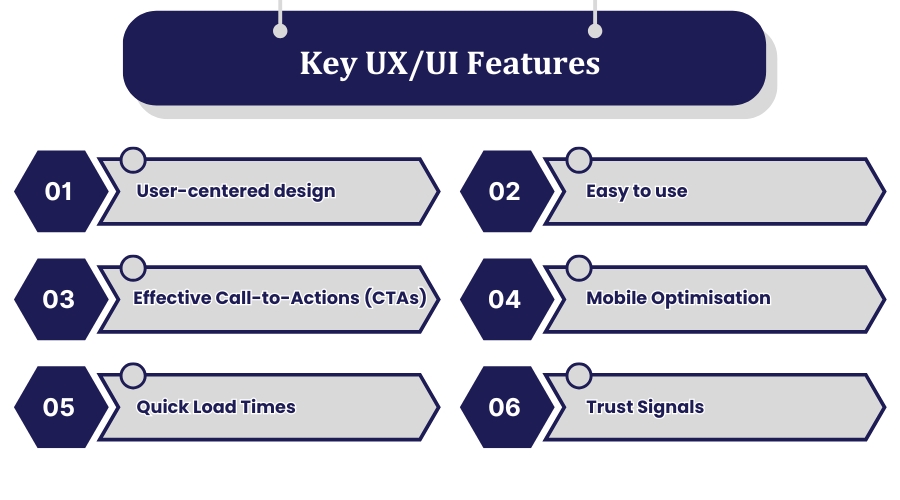
Key UX/UI Features That Boost Conversions:
-
User-centered design: The experience revolves around the behavior and needs of the user, such that every interaction is intuitive and according to their preference. Not only does this increase user satisfaction, but also loyalty, where people prefer to feel special and pampered by a brand.
-
Easy to use: It is easy to use to access what the users need in a very short period without frustrating them and enabling them to get what they need. Easy usage enables businesses to retain users longer, increasing conversion rates.
-
Effective Call-to-Actions (CTAs): Inspiring action with effective buttons and messages in sight that guide users in the correct direction. Effective CTAs are in the correct location and designed to demand attention, and users will want to proceed.
-
Mobile Optimisation: Ensure seamless mobile experiences, acknowledging the increased importance of mobile visitors within the contemporary digital landscape. With increasing numbers of visitors interacting on the go, a mobile-optimized site is required to ensure engagement and conversion rates are not stifled.
-
Quick Load Times: Reducing bounce rates through performance enhancement because users will exit a slow-loading website. With an emphasis on speed, companies can improve the user experience and retain potential customers who would otherwise depart in distaste.
-
Trust Signals: Building credibility through reviews, security badges, and warranties, creating users and establishing trust in the brand. Trust signals are crucial for conversion since they remove doubt and encourage users towards transactions.
When these are executed effectively, they create an experience that not only attracts users but also keeps them engaged and hungry to convert. Targeting these areas of relevance, companies are able to enhance user satisfaction, create more engagement, and ultimately experience better conversion rates.
How UX/UI Design Services Boost Conversions
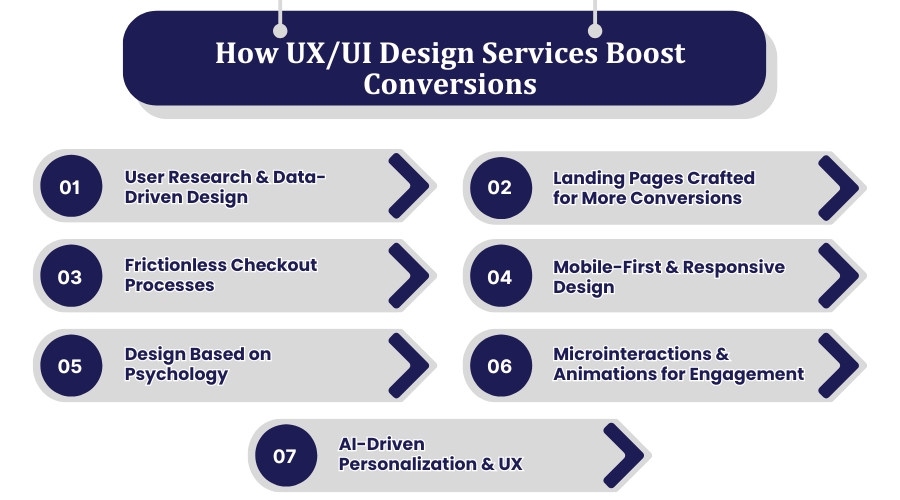
1. User Research & Data-Driven Design
All fruitful UX/UI initiatives start with intense user research, which is why an experienced UI/UX design agency treats it as the foundation of every project. This entails:
-
Conducting user interviews and surveys to obtain data directly from the target end-user group to fashion the design based on their requirements and expectations.
-
Analyzing heatmaps and session recordings to discover how users interact and where users are struggling or falling off.
-
A/B testing of different design components to determine what works best, allowing data-driven decisions to maximize user engagement.
-
Competitor analysis to determine areas of UX/UI improvement, providing a chance to differentiate and provide a superior user experience.
2. Landing Pages Crafted for More Conversions
Landing pages are the most important touchpoints for conversions. A UX/UI expert determines:
-
Clarity & simplicity: Free of distractions, an uncomplicated message that is unadorned to the audience and straightforward for users to access the value proposition.
-
Strong visual hierarchy: Focal areas are highlighted, guiding the user's eye to the most important messages and calls to action, reducing cognitive load, and allowing decision-making.
-
Good CTAs: Prompt action buttons that force and instruct individuals to act, be it registration, purchasing, or calling the business.
-
A/B Testing: Experimenting with options with a perspective to finalizing the best design, incorporating information architecture principles for intuitiveness and ease of navigation, and iteratively refining the methodology to maximize the potential for conversion.
3. Frictionless Checkout Processes
A cluttered checkout process is a conversion killer. A UX-optimized checkout:
-
Minimizes Steps: Requests only necessary fields, simplifying the experience and lowering the chances of user frustration or abandonment.
-
Offers Guest Checkout: Avoids friction for first-time consumers by skipping the account setup process, a massive obstacle to buy.
-
Provide Multiple Payment Options: Increases convenience by being able to accept different user preferences, making it easy for all potential buyers to pay.
-
Illustrates Progress Indicators: Reduces anxiety by letting users know where they are in the process, reassuring them and encouraging them to complete their purchase.
4. Mobile-First & Responsive Design
With mobile traffic now outpacing desktop visitors, mobile-first UX/UI is no longer an option. The key strategies are:
-
Responsive design that adapts to screen size so that content looks good on any device, be it a smartphone or tablet.
-
Touch controls and interactivity enhance user experience with top usability and accessibility, enabling ease of viewing and use of the site on fewer screens.
-
Fast loading times to make sure users stick around longer, as mobile users are even less patient and slow loading will cause high bounce rates and lost conversions.
5. Design Based on Psychology
Designers need to understand how and why people think and act because it aids designers in making more intuitive and believable interfaces. Designers can make more intuitive and believable interfaces using psychological principles. Some useful psychological triggers are:
-
Hick's Law: The lower the number of choices available to a user, the faster they choose. Restricting choices speeds up decision-making and precludes mental overload, improving the user experience.
-
Colour psychology: Different colours stimulate different feelings (e.g. red as urgency, blue as confidence). The planned use of colour allows the designer to influence user thought and behavior, yet keep the visual design consistent with the message and intent of the brand.
-
Social Proof: Customer reviews, testimonials, and trust badges establish credibility and build confidence, persuading users to go on and on. Positive feedback and endorsements displayed in full view can have a huge effect on user trust and conversion rates.
-
Loss Aversion: Scarcity and limited offer strategies create a feeling of urgency, and hence users take rapid action before they lose it. This strategy hinges on the fear of loss, which compels users to decide faster.
6. Microinteractions & Animations for Engagement
Small interactions and animations can educate users and enrich the experience. Small design flourishes can make a large difference by delivering usability and pleasing users. A few examples are:
-
Button hover effects to indicate interactivity, providing visual feedback to encourage users to interact with the interface.
-
Progress loaders to engage users in longer-running processes, reducing perceived wait time and frustration.
-
Real-time form validation to reduce errors, with instant feedback enabling users to correct errors as and when they are made, improving the user experience overall.
All of these are fundamental features built in, which enable developers to build an interactive and engaging environment that not only captures the attention of the users but also results in smoother interactions and ultimately higher satisfaction and conversion.
7. AI-Driven Personalization & UX
Existing UX/UI technologies utilize AI to achieve maximum personalization, crafting experiences that speak to each user individually. This includes:
-
User-behavior-triggered dynamic content, allows websites to react in real-time to user behavior and activity, delivering a more engaging and relevant experience.
-
Smart recommendations (such as Amazon's "Customers who bought this also bought" section), from data analysis offering users products or content of relevance, thus creating opportunity for ancillary purchases.
-
Customer chatbots in real-time, offering immediate customer service and customized engagement, possibly to drive customer satisfaction and reduce the load on human support staff. Hiring a UI/UX design agency ensures that project benefits from expert design strategies, user-centric approach, and seamless user experience also it boosts conversions rapidly.
The UI/UX Design Effect on Conversions
First Impressions Matter
Your initial impression of the app or site can break or make a conversion. Your good interface not only draws in the users but encourages them to continue exploring as well. Your initial contact sets the whole experience for the user, so it's important to engage users from the moment they reach your site. A good, professional design will give trust and credibility and get users wanting to see more of your offerings.
Intuitive Navigation
Your users should be able to navigate around your site naturally. Simple navigation reduces the bounce rate and makes users feel like they have spent more time on your site, improving conversion rates. Clear and minimalist menus and sensible steps can work wonders to improve user experience. By doing it in this manner, you facilitate the user, allowing customers to view what they are looking for without irritation and inviting them to invest additional time in your products or content.
Responsive Design
Smartphones keep expanding, and responsive design is not an option anymore. A responsive design will make your site look and function perfectly on every device, creating a smooth user experience. Google's mobile-first indexing also has the secondary effect of a mobile-friendly site boosting your search engine rankings and indirectly generating conversions. With tablets and smartphones increasingly being used to view websites, it is necessary to provide an integrated and optimized experience on every device to convert and retain visitors.
Loading Speed
The loading speed of pages is an important user experience factor. Optimize images, leverage browser caching, and minify code to improve loading speeds, which will engage users and make them convertible. Slow pages will frustrate people, and they'll bounce more, and you lose potential. Putting speed first, you're giving more user satisfaction and a higher opportunity for conversions because people prefer to stay on a site that loads fast and well.
Clear Call-to-Actions (CTAs)
Effective CTAs make users do what they would want to do, such as subscribe to a newsletter, purchase a product, or contact your team. CTAs should be easy to notice, using contrasting colors and attractive text that can be clicked. Placing CTAs strategically throughout your site can nudge user behavior and create engagement, which converts into higher conversion rates.
A/B Testing
A/B testing allows you to test two versions of a page and see how each performs. Comparing different design elements, such as button color, headlines, and layout, allows you to make the best decision to get the most conversions possible. Through failure and success, you can refine your design according to real user inputs, and your site keeps on improving to suit user needs and maximize conversion ability.
User-Centric Design
To create user-centred, you need to begin by getting to know your users. You can utilize research and personas to create the correct solution for what your users desire and need and thus increase satisfaction and conversions among users. By becoming user-centric, you can design for them, which leads to repeat use and loyalty.
Accessibility
Making your site accessible to everyone, including people with disabilities, is the right thing to do, and it can also give you more business. Alt tags on images, keyboard functionality, and support of screen readers make your site more usable and accessible. Making your website available to everyone shows that you value every one of your customers, and improves the image of your company, bringing more people to your business.
Conclusion
Top-level UX/UI design isn't about looks—it's a benefit in turning visitors into customers. Plain navigation, fast loading speed, responsive design, and subtle calls-to-action create a seamless user flow that is accountable for conversion. Companies with great UX/UI design beat competitors, win audience loyalty, and achieve better business outcomes. Ongoing optimization through analytics and A/B testing allows businesses to adapt to users' needs and deliver a flawless digital experience. User experience as a priority allows businesses not just to meet but also exceed customers' expectations, achieving long-term success and growth in a growingly competitive digital landscape.