


In many workplaces, security and convenience often pull in opposite directions. IT teams aim to lock down systems so attackers can’t slip through. Employees just want to work without waiting hours for approval on something simple, like a software update.
That’s where Privileged Access Management (PAM) makes a difference. PAM helps companies control who can access sensitive systems or make changes. But handling permissions by hand slows everyone down and creates unnecessary friction. More organizations are solving this problem by automating privilege requests.
With rules, audits, and ticketing built into a PAM solution, automation keeps systems safe and removes bottlenecks. Let’s look at how this works and understand why it matters for both productivity and security.
Why Privilege Management Matters
Think of your IT system as an office building. Some people can step into the lobby, others may access conference rooms, and only a select few can open the server room.
Problems arise when too many people hold a “master key.” If one of those keys is stolen or misused, the consequences can be severe. A phishing email, a lost device, or an insider with bad intentions could give someone unrestricted entry.
Privilege Access Management (PAM) tools solve this by handing out keys only when required and withdrawing them once the task ends. This reduces exposure and limits risk. The catch is the approval process itself. Without automation, granting and removing access takes time, slows employees, and adds work for IT. Automation keeps control in place without creating roadblocks.
The Trouble With Manual Approvals
An employee needs to install a software update. Without automation, the process becomes drawn out:
-
First, the employee emails IT to request admin rights.
-
The message then waits in an inbox until someone notices it.
-
Once seen, a technician reviews the request and may ask for additional information. If everything checks out, they log in remotely to grant temporary access.
-
Later, someone must circle back to revoke those rights.
This chain of steps takes time and attention. Each stage depends on people responding quickly and remembering every detail. In practice, that doesn’t always happen. Requests can be overlooked under piles of emails, and access might stay open long after the task is finished. Both situations raise risk.
Automation removes those weak points. It processes requests instantly when rules allow, keeps access temporary by default, and removes delays that frustrate employees and overburden IT staff.
How Automation Fits Into PAM
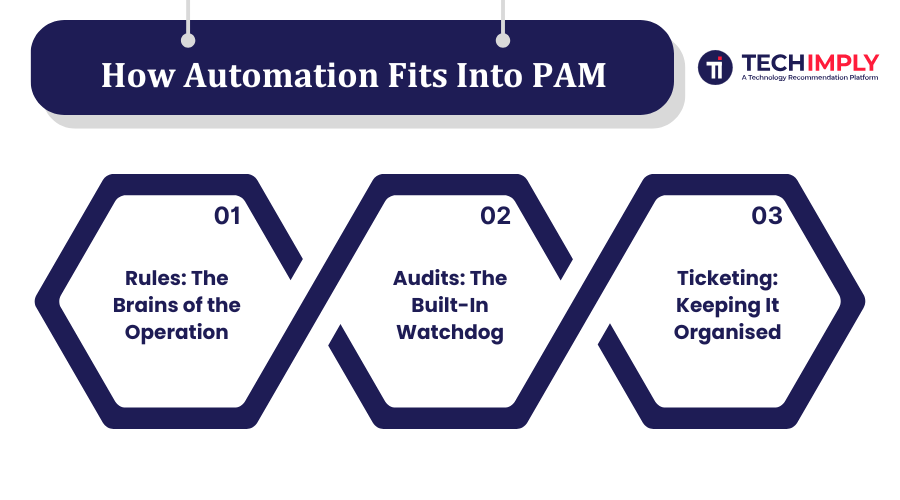
When you add automation to your PAM setup, you’re essentially teaching the system to make smart decisions for you. The software follows pre-set rules, tracks what happens through audits, and keeps everything organised with ticketing.
Here’s how each piece works.
1. Rules: The Brains of the Operation
Rules are the “if this, then that” instructions that tell the PAM system what to do in certain situations. For example:
-
If an employee requests to run a trusted application, then approve automatically.
-
If the request involves changing a system file, then require manager approval.
-
If the request comes from outside the company network, then block it.
With clear rules in place, the system can approve simple, low-risk requests instantly — no human needed. That means employees can keep working without waiting around, and IT can focus on bigger issues.
Good rules are specific, easy to understand, and based on actual risk. You don’t want to grant blanket access to everyone just to save time.
2. Audits: The Built-In Watchdog
Even with great rules, you still need a record of what’s happening. That’s where audits come in.
An audit log works like a security camera for your IT system. It tracks every privilege request, whether granted or denied, who made the decision, and what actions followed.
This record matters for several reasons. First, accountability: if something goes wrong, you know exactly who had access and when. Second, compliance: many industries require documented proof of access control. Third, improvement: reviewing logs can highlight patterns, such as frequent risky requests from one team or repeated denials of a certain action.
With automation, these logs generate automatically. No manual notes. No forgotten updates. Everything is captured in real time.
3. Ticketing: Keeping It Organised
Ticketing software works like a shared checklist. Every privilege request becomes a “ticket” that shows its progress from beginning to end.
With automation, ticketing links directly to the PAM process. The moment a request is made, a ticket opens automatically. It captures details such as the requester, the type of access, and the current status. Each action taken updates the ticket in real time.
Once the task is finished, the ticket closes. At that point, any temporary access is removed without delay.
This process keeps everything transparent and centralised. Nothing gets overlooked, and both IT teams and employees can see the full history of a request. It simplifies tracking and reduces the risk of unfinished or forgotten tasks.
The Real-World Benefits of Automation in PAM
Switching to automated privilege requests goes beyond saving time. It creates broader improvements across the organization.
1. Faster Workflows
Employees receive access quickly, so projects keep moving. Routine requests that once stretched over hours or days can now finish in seconds.
2. Reduced Risk
Automation lowers the chance of forgotten removals or risky approvals. Rules apply consistently, and audits capture every action for accountability.
3. Happier IT Teams
Automating routine approvals frees IT staff to focus on higher-value tasks. Instead of repeating the same steps, they can devote time to long-term improvements.
4. Stronger Compliance
Sectors like healthcare, finance, and government require documented proof of access control. Automated logs and ticketing provide that evidence without adding manual effort.
Setting Up Automated Privilege Requests
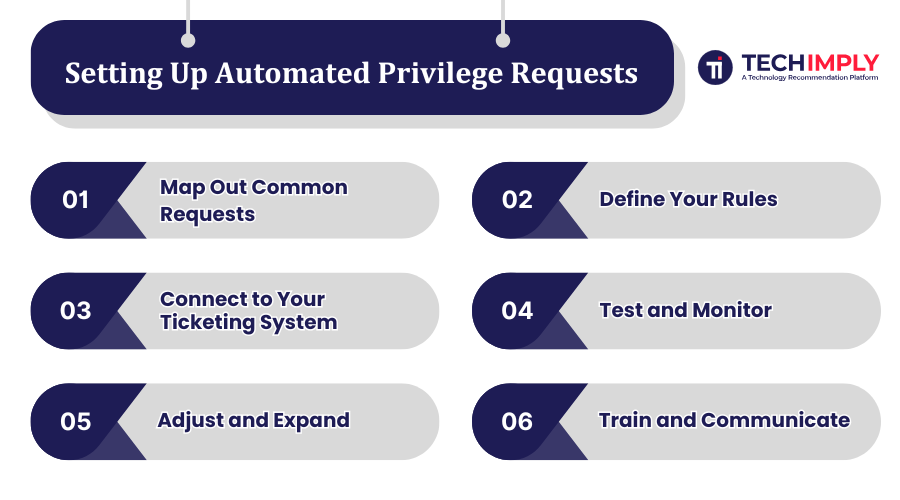
Every PAM tool differs, but most follow a similar path for automation:
Step 1: Map Out Common Requests
List the frequent privilege requests your IT team handles. These are usually low-risk tasks such as installing approved software, updating standard settings, or using internal tools. Reviewing past tickets or approval emails helps identify patterns and highlight good candidates for automation.
Step 2: Define Your Rules
Create clear rules based on “who, what, where, and when.” Specify which roles can request access, what they can request, from where they can do it, and when the rules apply. Rules should be precise and updated regularly as needs change.
Step 3: Connect to Your Ticketing System
Integrate your PAM solution with the ticketing platform your team already uses. When a privilege request is made, a ticket is created automatically without any manual input. As actions are taken (approvals, denials, or status changes) the ticket updates in real time. Once the task is finished, the system closes the ticket and removes temporary access. This integration creates a clear record, keeps requests organized, and prevents anything from slipping through unnoticed.
Step 4: Test and Monitor
Run a pilot before a full rollout. Start with one department or a small group of users. Track how quickly requests are processed. Review audit logs to confirm approvals are correct. Gather feedback from IT staff and employees. Testing highlights rules that may be too strict, too broad, or confusing.
Step 5: Adjust and Expand
Refine rules based on trial results. Add more auto-approvals for low-risk actions or tighten controls where needed. Once stable, expand automation across the organization. Remember, automation is never final. It requires periodic updates to stay effective.
Step 6: Train and Communicate
Provide clear instructions for employees. Show how to submit requests, which get auto-approved, and who to contact if denied. Training builds trust, reduces confusion, and helps employees adopt the system smoothly.
Avoiding Common Pitfalls
Automation is powerful, but it’s not a magic wand. Here are a few traps to avoid:
-
A High Number of Auto-Approvals: Don’t approve everything just to speed things up; that defeats the purpose of PAM.
-
Using Outdated Rules: Review and update your rules regularly to match current threats and business needs.
-
Ignoring the Human Element: Automation should support, not replace, human judgment for high-risk decisions.
The Future of Privilege Management
Cyber threats are more sophisticated than ever, and this is why you need stronger privilege management. Smarter automation will allow businesses to preserve sensitive access while allowing the day-to-day operation to remain unhindered.
Future generations of PAM tools may take it a step further, incorporating AI. These systems could identify the patterns of what constituted typical activity, detect aberrant behavior as it occurred, and modify access rules in real time. They would even alert concerning behaviours before they become actual issues.
However, this is more than just saving time. It enables a defensive posture that automatically changes access to respond to risk.
Final Thoughts
Automating privilege requests with rules, audits, and ticketing creates real advantages. Employees receive access quickly, IT staff spend less time buried in repetitive approvals, and the organization stays secure and compliant.
The best approach is to start small and automate the requests with the most impact. Refine rules over time and expand gradually. With this balance, automation can transform privilege management into a process that is fast, transparent, and dependable.

.png "A Definitive Guide to the Costs of Colocation")

.png "How Blockchain Revolution in Mobile Application Development Process")


