


Multilingual documents appear in almost every international business process. A purchasing team may receive supplier specifications in another language, a consultant may need to review an overseas market report, while HR or operations teams may be responsible for manuals, policies, or training materials used across several regions.
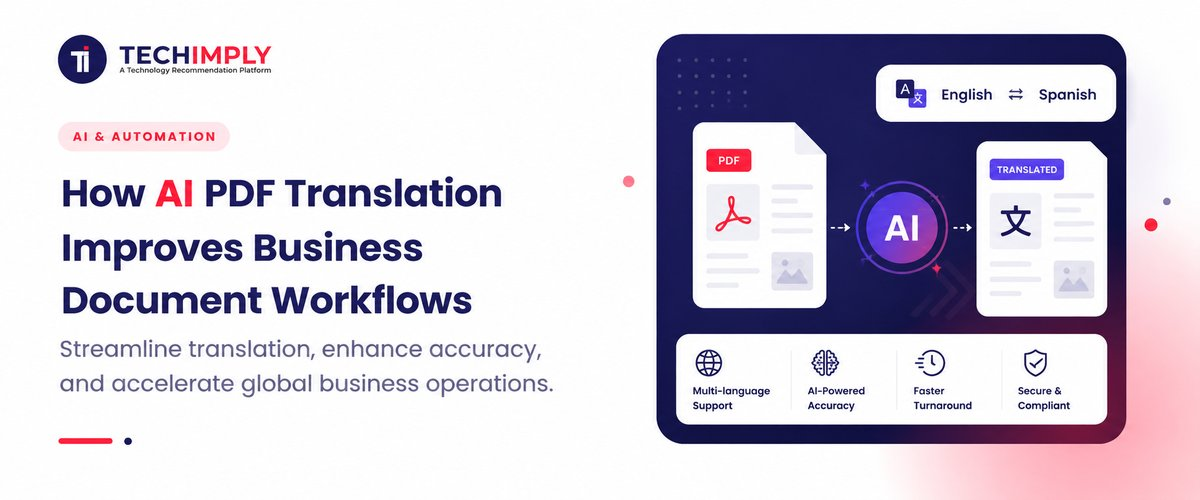
The challenge is not only translating the words. Employees often have to extract text, rebuild tables, reconnect captions with images, and compare several versions of the same file afterward. Using an online PDF translator can simplify this process by translating the document as a complete file rather than forcing users to handle every section separately.
For businesses working across markets, AI PDF translation is therefore becoming less of a standalone language tool and more of a practical part of document management.
Why PDF Translation Is Different From Translating Plain Text
Translating a few paragraphs is relatively straightforward.
PDFs are more complicated because information is communicated through both language and structure.
A typical business PDF may contain:
- headings and subheadings;
- tables and charts;
- images and captions;
- numbered procedures;
- multi-column layouts;
- footnotes;
- technical terminology.
If text is removed from that structure and translated separately, the sentences may still make sense while the document becomes harder to use.
A value inside a table only works when it remains connected to the correct row and column. A caption needs to stay close to the image it explains. A numbered instruction should remain in the right sequence.
For this reason, businesses should treat PDF translation as a document-processing problem as well as a language problem.
Manual Translation Creates Hidden Administrative Work
Copying text from a PDF into a general translation tool may work for a short document.
The process becomes inefficient with a 50-page report, product manual, or employee handbook.
Someone may need to identify the correct reading order, translate sections individually, recreate headings, rebuild tables, and check where images or captions originally appeared.
The translation itself may only take a small part of the total time.
Reconstructing the document often creates the real workload.
When the same process is repeated across supplier documents, technical manuals, research reports, and internal business files, those small formatting tasks become a recurring operational cost.
How AI PDF Translation Reduces Document Reconstruction
A more efficient approach keeps the translation closer to the original PDF.
AI PDF translation tools can process text-based documents while attempting to preserve elements such as headings, tables, images, fonts, and page structure.
This is particularly useful when layout carries information.
A translated market report is easier to review when charts remain close to the relevant analysis. A technical manual is easier to follow when diagrams stay beside the corresponding instructions. An employee handbook is easier to compare with the source when its heading hierarchy remains recognizable.
Layout preservation does not mean every translated page will look identical.
Languages require different amounts of space. A short English phrase may become considerably longer in German, while text translated from Chinese into English may expand across additional lines.
Tables, headings, and page breaks may therefore change.
The practical benefit is reducing the amount of reformatting required after translation, not guaranteeing a pixel-for-pixel copy.
Different Business Teams Need Different Translation Workflows
Not every department uses translated PDFs for the same purpose.
Research and Consulting
Analysts often work with foreign-language market reports, academic research, competitor material, and industry publications.
In these cases, speed and comprehension may matter more than publication-level wording.
The goal is usually to access information quickly enough to support research or decision-making.
Procurement and Operations
International suppliers may provide product catalogues, specifications, installation manuals, quotations, or operational documents in different languages.
These files often contain measurements and structured tables.
Preserving the original document structure makes it easier for procurement, engineering, and operations teams to review the same information.
HR and Training
Multinational organizations may need to understand or adapt employee handbooks, internal procedures, training materials, and SOPs.
Here, terminology consistency becomes more important because employees may act on the translated instructions.
Legal and Finance
Contracts, audit reports, financial information, and compliance documents require much stronger review.
AI can accelerate the first translation, but important clauses, figures, and specialized terminology should still be checked by qualified professionals.
The more serious the consequence of an error, the more human verification matters.
What Should Businesses Look for in an AI PDF Translation Tool?
Translation speed alone is not enough.
Several practical factors affect whether a tool actually improves the document workflow.
Layout Preservation
For structured PDFs, check whether the tool can retain headings, tables, images, fonts, and general page organization.
The less reconstruction required afterward, the more useful the workflow becomes.
Language Coverage
International companies may receive files from many markets.
Broad language support reduces the need to switch services whenever a new document arrives.
PDFTranslator, for example, supports more than 100 languages and is designed for text-based documents such as reports, research papers, manuals, contracts, and textbooks.
File and Access Requirements
Long reports and technical manuals can become large, so teams should check file-size limits before choosing a platform.
PDFTranslator supports text-based PDF files up to 20MB and provides up to 1,000 free pages per calendar month without requiring an account or credit card.
For occasional translation tasks, avoiding another registration and subscription process can reduce unnecessary setup.
File Handling
Business documents may contain confidential information, so teams should also understand how uploaded files are processed and retained.
PDFTranslator states that files are transferred using SSL-secured processing and automatically deleted within 24 hours after translation.
That does not mean every document should be uploaded to an online service. Highly confidential legal information, customer data, credentials, or other restricted material should still follow the organization's own security policies.
Terminology Matters More Than General Fluency
A translation can sound natural while still using the wrong terminology.
This is particularly important in technical and professional environments.
A manufacturer may use a specific name for a component. A software company may have official feature names. A consulting firm may rely on standardized vocabulary across several reports.
If the same term appears differently across translated documents, readers may assume they refer to different concepts.
Companies that regularly translate similar material can reduce this problem by maintaining a small terminology list containing:
- product and service names;
- technical terminology;
- abbreviations;
- department names;
- internal process terms;
- measurement conventions.
AI can handle the volume of text, while the terminology list gives reviewers a consistent standard.
Review Documents According to Risk
Another way to improve the workflow is to stop reviewing every translated document with the same level of effort.
Low-Risk Documents
Public reports, competitor materials, general research, and reference documents may only need a quick review when they are being used for internal understanding.
Operational Documents
Manuals, SOPs, training materials, and product specifications require closer checks of terminology, measurements, tables, and instructions.
High-Risk Documents
Contracts, financial information, safety instructions, and compliance materials deserve the strongest human oversight.
AI can still create a useful first translation, but important information should be verified before the document is relied upon.
This risk-based approach allows businesses to automate where the consequences of minor errors are limited while keeping stronger controls where accuracy matters.
A Practical Review Process
A translated PDF should not be treated as final simply because the layout looks polished.
A short review can focus on the parts where errors would matter most.
Check:
- titles and important headings;
- product names and specialist terminology;
- figures, dates, prices, and measurements;
- tables and their column relationships;
- numbered procedures and warnings;
- important legal or financial language.
Compare these areas directly with the source PDF.
For very large documents, teams can also work with the sections they actually need rather than translating and reviewing every page at once.
The objective is to focus human attention on context and consequence instead of spending it rebuilding formatting.
AI Works Best When It Removes Repetitive Work
The most useful business automation does not always replace an entire job.
Often, it removes repetitive tasks surrounding professional work.
A researcher should spend time interpreting an overseas report rather than recreating its tables.
An engineer should focus on technical specifications instead of manually reformatting a translated manual.
A procurement manager should compare supplier information rather than copying dozens of pages between applications.
This is where AI PDF translation creates practical value.
The technology handles much of the translation volume and document processing.
People remain responsible for terminology, context, risk, and final decisions.
Conclusion
AI PDF translation can improve business document workflows by reducing the manual work that normally surrounds multilingual files.
Instead of repeatedly extracting text, rebuilding layouts, and reconnecting tables with their explanations, teams can begin with a translated document that retains much of the original structure.
The strongest workflow combines automation with focused review. AI handles repetitive processing, while people verify the information where accuracy matters most.
For businesses operating across languages, that turns PDF translation from a basic utility into a practical way to make global information easier to access and use.




