You’ve probably reset your Android phone or Samsung device at some point. And when you have ever been caught in the Google verification box, you realize just how frustrating that can be!
That is FRP ( Factory Reset Protection ) at work--but not to worry. When the appropriate FRP bypass tools are used, you can easily access your device again with no pressure. Whether it’s a simple FRP bypass APK or a Samsung FRP tool, there are solutions that make the process easy and safe. If you have a Samsung device, the samsung frp tool is often the fastest way to restore access.
This guide lists the top 10 FRP bypass tools free for Android & PC (2025), with safety tips and best practices for FRP unlock tools, so you can pick the right FRP solution and unlock your device confidently.

Looking for Mobile app development Software?
Check out Techimply's best Mobile app development Software for your business.
What Is FRP Bypass?
FRP Bypass is the procedure of unlocking an Android device that has been secured by Factory Reset Protection (FRP). FRP is a security measure in Android-based phones (particularly Samsung phones) that makes unauthorized access impossible after the factory reset.
In case your phone is locked and you have lost your Google account credentials after a reset, the phone remains locked. For many users a lightweight option is to install a bypass frp apk that runs directly on the phone to open the setup screens. With an FRPbypass tool or an FRP bypass APK, it is safe that you will access your device safely without any loss of your data.
Basically, FRP bypass is a safe method of passing through the Google screen to continue using your device normally and without risk.
What You Should Know About FRP Bypass
-
If you’ve ever reset your phone and can’t remember your Google login, FRP is the lock that stops you.
-
FRP bypass full form is Factory Reset Protection—it’s built to protect your data from strangers.
-
Tools like an FRP bypass APK or a samsung frp tool can help you get back in.
-
Keep in mind, you should only do it in your personal gadget- it is recovery, not ripping in the phone of another person.
-
Depending on your device, the method or FRP unlock tool you’ll need might be different.
Suggested Read:
If you’re looking for a reliable and easy-to-use FRP Bypass Tool in 2025, iToolab FRP Bypass Tool is one of the best options available for Android & PC users.
Did You Know:
Google introduced the FRP ( Factory Reset Protection ) feature first in Android 5.1 Lollipop. It became one of the most important security features to ensure that stolen or lost phones were not reset and used by unauthorized persons.
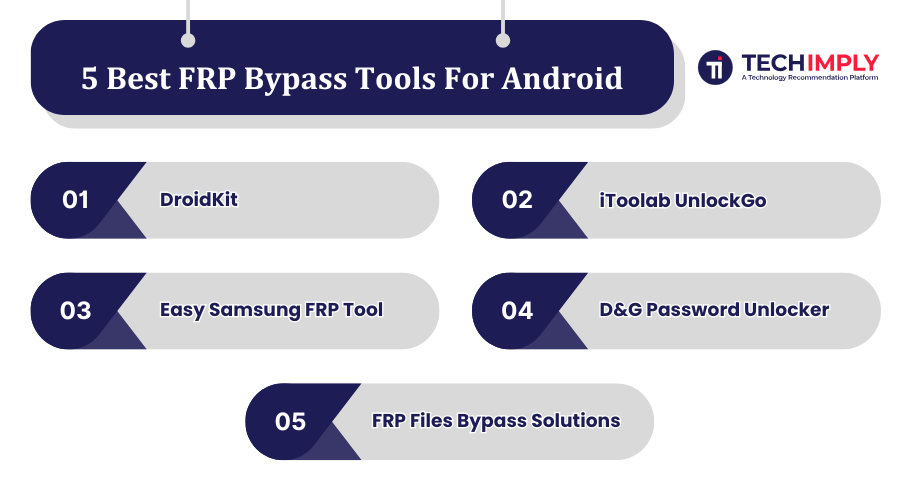
5 Best FRP Bypass Tools For Android
Always confirm that the tool supports your device model and operating system software, as mismatches can cause the process to fail.
1. iToolab UnlockGo
iToolab UnlockGo is designed for FRPbypass on Samsung and other Android devices. It supports many Android versions and is made simple for non-tech users. It can also remove screen locks and Google account locks.
Features:
One-click or guided FRP bypass for Samsung.
Broad Android OS support.
Works on Windows and sometimes macOS.
Simple, beginner-friendly interface.
High success rate on supported devices.
Pros:
Easier to use compared to many older tools.
Supports a wide range of Samsung devices.
Cons:
May not work reliably on the latest Android updates.
Requires proper drivers/APKs installed.
Free Trial: Yes (limited).
Pricing: Paid license required (pricing varies by plan).
2. DroidKit
DroidKit by iMobie is a versatile Android toolset that helps users bypass FRP (Google account verification) on many devices including Samsung, Xiaomi, Redmi, and more. It supports Android versions from ~6 up to Android 15. Alongside FRPbypass, it offers features like screen unlock, data recovery, system repair, etc.
Features:
-
Bypass Google account verification (FRP) without needing the previous password.
-
Supports multiple brands and Android 6–15.
-
Unlocks screen locks (PIN, pattern, fingerprint).
-
Includes data recovery and file management tools.
-
User-friendly guided interface.
Pros:
-
High success rate with frequent updates.
-
Multi-tool utility beyond FRP bypass.
Cons:
-
FRP bypass feature is not free.
-
Newer Android security patches may take time to support.
Free Trial: Yes (but FRP bypass requires purchase).
Pricing: Starts at $39.99 for the FRP bypass module.
3. Easy Samsung FRP Tool
Easy Samsung FRP Tool is a free PC-based program that bypasses FRP on Samsung phones running Android 5–9. It’s popular for older Samsung models due to its simplicity. For devices running Android 9 (Pie), look specifically for an frp bypass apk 9.0 download that lists compatibility with Pie.
Features:
-
Completely free to use.
-
Supports older Samsung models.
-
User-friendly for its version range.
-
Doesn’t require original Google account credentials.
-
Works via PC connection and USB.
Pros:
-
Free of cost.
-
Great for older Samsung phones.
Cons:
-
Not compatible with Android 10 and later.
-
Manual steps can be error-prone.
Free Trial: Not applicable (free tool).
Pricing: Free.
4. D&G Password Unlocker
D&G Password Unlocker claims to support multiple Android brands and allows both FRP removal and password unlocking. However, official documentation is limited and details are scarce.
Features:
-
Works on Samsung, Xiaomi, Motorola, and more.
-
Beginner-friendly interface.
-
Works via USB connection.
-
Some support for older Android versions.
-
Available as a downloadable tool in forums.
Pros:
-
Often free or low-cost.
-
Works on more than just Samsung devices.
Cons:
-
Poor documentation and unclear success rate.
-
Risk of malware if downloaded from unsafe sources.
Free Trial: Unclear.
Pricing: Unknown / varies (often listed as free).
5. FRP Files Bypass Solutions
FRP Files Bypass Solutions are not a single program but collections of APKs, scripts, and files used to bypass FRP. They are community-shared resources and vary by device and Android version. If you try community bundles, only use trusted sources to download frp bypass apk for your specific model and Android version.
Features:
-
Includes APKs or scripts for bypassing.
-
Covers different Android versions.
-
Some methods don’t require a PC.
-
Can work across Samsung and other brands.
-
DIY-style approach.
Pros:
-
Usually free or low-cost.
-
Flexible for specific device versions.
Cons:
-
No guaranteed success or safety.
-
High malware/bricking risk from unverified sources.
Free Trial: Not applicable.
Pricing: Mostly free (some premium file sets may exist).
5 Best FRP Bypass Tools For PC
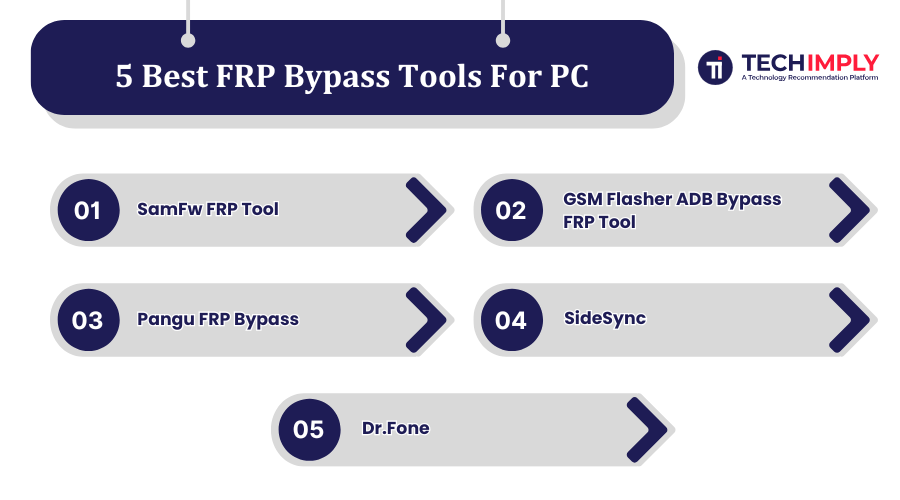
1. SamFw FRP Tool
SamFw FRP Tool is built primarily for Samsung devices to remove Factory Reset Protection (FRP) locks. It offers “one-click” removal in many cases, supports newer security patches, and comes with tools like enabling ADB, disabling Knox, and handling Download Mode for Samsung phones.
Features:
-
Remove FRP with one click on Samsung devices.
-
Supports ADB mode features and disabling Knox.
-
Download mode / Odin flash support for fixing certain issues.
-
Reads device info (software version, model) automatically.
-
Free version available with frequent updates.
Pros:
-
Very easy to use for Samsung users.
-
Free for many devices.
Cons:
-
Limited mainly to Samsung devices.
-
Using incorrectly can risk warranty or errors.
Free Trial: Yes (basic version is free).
Pricing: Free, with some paid methods for newer models.
2. GSM Flasher ADB Bypass FRP Tool
GSM Flasher ADB Bypass FRP Tool uses ADB (Android Debug Bridge) commands to bypass FRP locks on Android devices. It’s useful when a phone has USB debugging enabled or can be put into a mode that allows ADB access. It supports multiple brands and works well on older Android versions.
Features:
-
Bypasses Google FRP lock without credentials.
-
Supports Samsung, HTC, LG, Huawei, and more.
-
Can also remove PIN or pattern locks in some cases.
-
Works on Windows PCs.
-
Lightweight; doesn’t require flashing firmware.
Pros:
-
Free to use.
-
Works across many Android brands.
Cons:
-
Requires technical setup and USB debugging.
-
Limited effectiveness on the latest Android versions.
Free Trial: Yes (fully free).
Pricing: Free.
3. Pangu FRP Bypass
Pangu frp bypass android is a community-known tool designed to help bypass Google account verification on certain Android devices. It’s more useful for older versions of Android and is not consistently updated.
Features:
-
Helps bypass Google account verification screen.
-
Works on select older Android models.
-
Requires only a PC connection and APK setup.
-
Lightweight tool compared to full suites.
-
Often community-distributed.
Pros:
-
Free to use.
-
Useful for older Android devices.
Cons:
-
Unofficial and not well-documented.
-
Risky downloads from unverified sources.
Free Trial: Not applicable (community tool).
Pricing: Free.
4. SideSync
SideSync was originally Samsung’s tool for screen sharing and syncing between PC and mobile. While not officially designed for FRP, it has been used as a workaround on some older Samsung devices to help bypass Google account locks.
Features:
-
Connects Samsung phones with a PC for syncing.
-
Allows limited access to apps and files during lock.
-
Can sometimes be used to bypass FRP with other methods.
-
Works on Windows PCs.
-
Easy to install and use.
Pros:
-
Free to use.
-
Helpful in very specific older Samsung cases.
Cons:
-
Not a dedicated FRP bypass tool.
-
Doesn’t work on newer Android versions.
Free Trial: Not applicable (free).
Pricing: Free.
5. Dr.Fone
Dr.Fone (by Wondershare) is a complete mobile management suite that includes FRP bypass features along with data recovery, screen unlock, and backup tools. It is user-friendly and regularly updated to work with new devices.
Features:
-
FRP bypass and Google account removal.
-
Supports multiple Android brands.
-
Clean, step-by-step guided interface.
-
Includes other tools like recovery and transfer.
-
Regular updates and official support.
Pros:
-
Trusted and professional software.
-
Works on a wide range of devices.
Cons:
-
Paid tool; FRP features aren’t free.
-
Can be pricey for a single-use need.
Free Trial: Yes (limited features).
Pricing: Around $30–$50 depending on license.
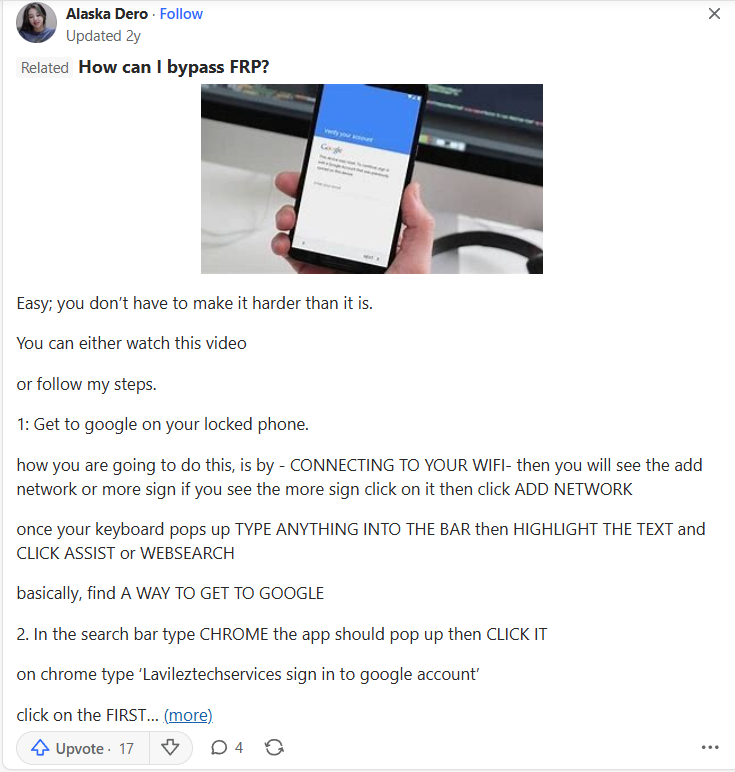
=>Real-World Example: How People Actually Try FRP Bypass
Reference : Quora
How to Use FRP Bypass APK & FRP Tools Safely?
With the help of an FRP bypass APK or a PC-based FRP unlock tool, you can easily recover access to your device, although you must do it carefully. Follow these steps:
Step 1: Confirm Device Ownership
Only use FRP bypass on your own phone or tablet. This keeps you within legal and ethical boundaries.
Step 2: Download a Trusted FRP Tool
Select one of the trusted FRP bypass APK or Samsung FRP tools download. Keep off doubtful links in order to preserve your device against malware. When you search, always verify reviews and checksums before any frp bypass download to reduce the risk of malware.
Step 3: Install the Tool
-
If you’re using an APK: Enable “Install from Unknown Sources” in your Android settings and install the APK.
-
If you’re using a PC tool: Install the software on your computer and open the FRP bypass panel.
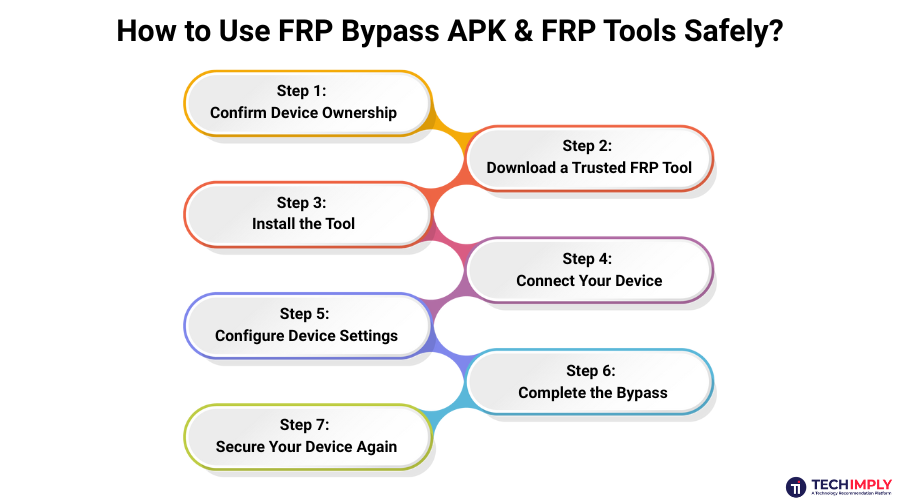
Step 4: Connect Your Device
Connect your phone to the PC via a USB cable. Select the Start option and choose your device brand.
Step 5: Configure Device Settings
The tool will detect and configure your device file. Select “Start to Bypass,” then choose your Android device model and version. Follow the on-screen instructions to adjust settings like Wi-Fi and language.
Step 6: Complete the Bypass
Once the process has been done by the tool, the FRP lock would have been removed and your device would boot up again.
Step 7: Secure Your Device Again
After being locked out, you can add another Google account, change a new password and adjust security settings, which will help avoid lockouts in the future.
Best Practices While Using FRP Unlock Tool in 2025
-
Verify Device Ownership
FRP ( Factory Reset Protection) is built to prevent unauthorized access. Before unlocking a phone or tablet, it is always important to ensure that the phone or tablet is really yours. The application of such tools on the equipment of another individual may raise severe legal and ethical challenges.
-
Choose Reputable Software
FRP bypass programs and FRP bypass APK downloads occur in high numbers online, but not all are safe. In order to prevent malware, spywares, and unfinished tools that may damage your phone, use only those well reviewed and trusted.
-
Prepare Your Device And Environment
You must make sure that your phone is properly charged and is on a regular Wi-Fi or mobile data plan. When you have an FRP unlock tool running on a PC, have a good USB cable on hand. The properly prepared set up will reduce chances of the process breaking down halfway.
-
Take Precautions Against Data Loss
Certain bypass measures can destroy files or settings. In the case of backups, import the valuable photos, contacts or documents beforehand. In such a manner, you will not lose precious data in troubleshooting the lock problem.
-
Secure Your Device After The Bypass
After removing the FRP lock, do not forget to lock your phone again. Create a new Google account, change your password and check your security settings on your device. This will make sure to keep you locked out no more and will secure your phone against unauthorized entry.
All You Need to Know About FRPBypass
FRP is a security feature that prevents a phone from being used after a factory reset unless the original Google account is verified. It protects data if a device is lost or stolen — but there are legitimate cases where bypassing FRP is needed.
- Buying A Used Phone
A used device may still be linked to the previous owner’s Google account and stop at the verification screen during setup. In such cases, trusted options like a verified frp bypass file or approved frp bypass files can help restore access after ownership is confirmed.
- Resetting A Phone To Factory Settings
A phone reset done to fix problems can lock the device if the original Google credentials are forgotten. Solutions include installing a vetted frp apk or using a reputable frp bypass unlock tool or frp lock removal tool. Some services advertise an frp unlock tool free or free frp unlock tool, but free downloads should be treated with caution.
Only attempt bypass methods when ownership is verified. It is better to use credible sources and confirmed tools than to download anything at random when the intention is to remove google lock (frp free) without any complications.
Common Mistakes to Avoid While Using FRP Bypass Tools
A single mistake may stop the process or result in damaging your phone. Avoid these frequent FRP tool mistakes.
-
Using Unverified Files – Downloading frp bypass files from untrusted sources can bring malware or corrupt your phone. Stick to verified downloads.
-
Skipping Instructions – Each FRP unlock tool has a specific setup process. Ignoring steps can lead to errors or failure.
-
Wrong Device or OS Version – It might not be compatible with a different version of a tool or model used on Android. Confirm compatibility first.
-
Interrupting the Process – Disconnecting the phone or closing the tool mid-process can brick the device. Let the tool complete fully.
-
Ignoring Security After Unlock – Once the Google lock is removed, secure the device with a new account or password.
This keeps the process safe, smooth, and effective.
Conclusion
Breaking FRP does not have to be a headache. Prefer official vendor pages or well-known forums when you download frp tools to minimize risk and get timely updates. Using the correct FRP bypass tool, be it a trusted FRP bypass APK, a Samsung FRP tool download or PC-based FRP unlock tool, you to regain access to your device within a short and safe period.
Just bear in mind: apply these tools in a responsible manner. Ensure that the device belongs to you and observe good practices when unlocking it with FRP unlock tools in 2025. No matter whether you choose easy FRP bypass app or a full-fledged FRP lock removal tool, these are meant to ensure that the procedure is easy, safe, and painless.