


Managing a growing workforce comes with inherent operational friction. For most organizations, HR teams find themselves bogged down by familiar administrative roadblocks:
- Employee information scattered across fragmented spreadsheets
- Manual attendance logs and messy leave-tracking email chains
- Repetitive onboarding and offboarding paperwork
- Frequent payroll and employee data calculation errors
- Difficulty giving employees transparent, self-service access to their own data
- A distinct lack of real-time visibility into workforce analytics and metrics
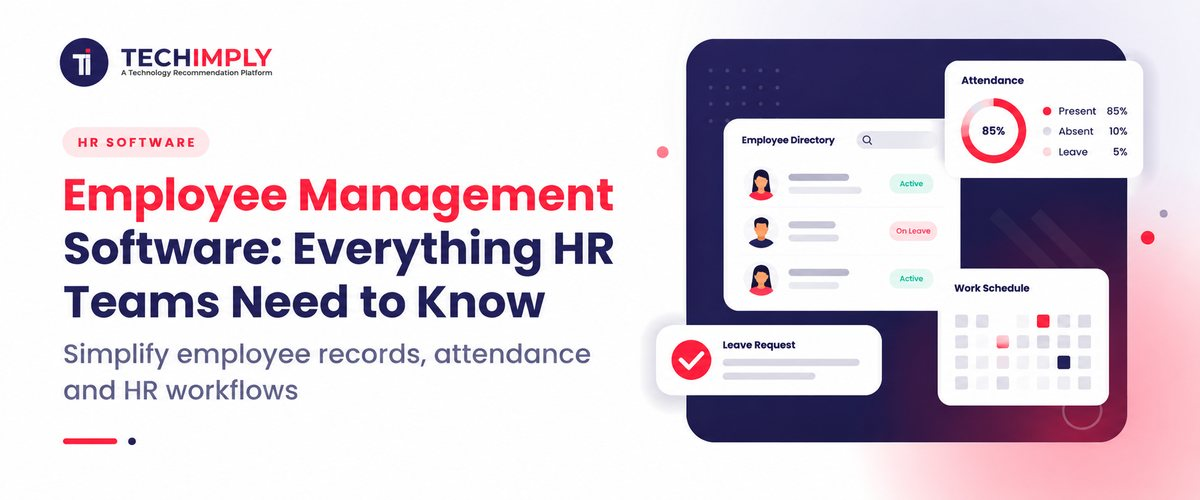
Modern employee management software solves these challenges by acting as a centralized digital platform that helps HR teams manage employee information, attendance, leave, onboarding, performance, payroll processes, communication, and workforce activities from a single system.
Definition Box: What is employee management software?
Employee management software is a digital HR solution that centralizes employee information and automates core processes such as attendance, leave, onboarding, performance management, employee self-service, and workforce administration.
What At a Glance
|
Need Area |
How Employee Management Software Helps |
|
Employee Records |
Centralized, secure employee database and digital profile directory |
|
Attendance |
Real-time time and attendance tracking via mobile, GPS, and biometrics |
|
Leave |
Digital leave requests, automated approvals, and shared team calendars |
|
Onboarding |
Automated digital paperwork, checklists, and pre-joining workflows |
|
Performance |
Goal tracking (OKRs), periodic reviews, feedback loops, and 1:1 histories |
|
Payroll |
Integrated payroll calculation, tax computation, and instant payslip distribution |
|
Self-Service |
Dedicated web or mobile portals empowering staff to manage personal data |
|
Analytics |
Actionable HR reports, headcount tracking, and workforce insights |
What Is Employee Management Software?
Employee Management Software Definition
At its core, an employee management software or employee management system is an integrated software solution designed to oversee the complete lifecycle and daily activities of personnel within an organization. Rather than relying on a patchwork of physical files, local folders, and disconnected applications, this software for employee management brings data, workflows, and communication together under one roof.
What Does Employee Management Software Do?
Modern platforms handle a comprehensive range of administrative and strategic functions:
- Employee records: Maintains comprehensive digital profiles for every team member.
- Attendance: Monitors clock-in/clock-out times, shifts, and punctuality.
- Leave: Manages time-off requests, accruals, and company holiday calendars.
- Onboarding: Guides new hires smoothly through pre-joining formalities and documentation.
- Payroll information: Organizes salary structures, deductions, and compensation histories.
- Performance: Tracks key performance indicators (KPIs), goals, and appraisals.
WoCo HR Software - Employee self-service: Gives workers independent access to view records and execute requests.
- Reporting: Generates high-level metrics on turnover, attendance, and growth trends.
- Offboarding: Streamlines asset recovery, exit interviews, and final clearances.
Who Uses Employee Management Software?
- HR teams and HR managers: To automate repetitive processes and govern policy execution.
- Business owners: To maintain compliance, track headcount costs, and scale operations.
- People/operations teams: To foster engagement and monitor cross-department workflows.
- Managers: To approve leave, review team performance, and track daily operational capacity.
- Employees: To check balances, view payslips, and update personal details independently.
How Does an Employee Management System Work?
An employee management system operates on a continuous data loop designed to remove administrative drag.
The standard workflow flows seamlessly through distinct stages:
Employee Data→HR Processes→Automation→Manager Approvals→Employee Self-Service→Reports
This infrastructure supports the typical employee lifecycle:
- Hiring: Transitioning candidates smoothly from applicant tracking systems into employment records.
- Onboarding: Issuing digital offer letters, policies, and checklist tasks.
- Employee record creation: Storing documents, banking info, and emergency contacts securely.
- Attendance and leave: Tracking daily work hours, remote check-ins, and time-off balances.
- Payroll: Automating salary calculations, tax computations, and disbursals.
- Performance management: Managing continuous feedback, goal setting, and evaluation cycles.
- Employee engagement: Conducting sentiment pulses, surveys, and wellness index checks.
- Offboarding: Managing smooth exits, documentation handovers, and final settlements.
Key Features of Employee Management Software
1. Employee Database and Employee Profiles
A centralized employee database acts as the single source of truth for your organization. This employee management tool securely houses personal information, employment contracts, compliance documents, job history, department assignments, designations, reporting managers, and emergency contacts in an easily searchable directory.
2. Employee Attendance Management
Accurate attendance tracking is essential for operational transparency. Systems support clock-in/clock-out features, GPS mobile check-ins for field teams, biometric or facial recognition integrations for offices, late arrival flags, overtime tracking, and automated attendance reports.
3. Leave and Time-Off Management
This module handles leave policies without administrative friction. Employees can submit leave requests, managers can approve them in one click, and real-time leave balances update instantly alongside shared holiday calendars and automated email/push notifications.
4. Employee Onboarding and Offboarding
First impressions matter. The software digitalizes document collection, task assignment, joining checklists, system access management, and equipment allocation. Conversely, exit workflows structure clearance checklists and asset recoveries safely.
5. Payroll and Compensation Management
While not every platform natively houses full payroll generation internally, leading systems either include robust payroll natively or build seamless integrations into external accounting engines. This ensures salary structures, allowances, tax withholdings, and deductions sync cleanly with attendance data.
6. Performance Management
To align workforce output with company strategy, performance tools track goals, OKRs, periodic performance reviews, qualitative feedback, and 1:1 meeting histories, offering a clear window into employee growth trajectories.
7. Employee Self-Service
An employee management application thrives on its self-service capabilities. Employees can independently update contact details, apply for leave, view attendance logs, download documents, and check historical payslips. Platforms like WoCo heavily emphasize this aspect, ensuring workers spend zero time chasing HR for basic paperwork.
8. Reporting and HR Analytics
Data-driven decision-making requires robust metrics. Standard reports cover headcount distribution, turnover trends, leave utilization rates, punctuality patterns, and overall workforce productivity indices.
9. Employee Communication and Engagement
Keeping morale high requires active listening tools. Features include pulse surveys, employee feedback channels, company-wide announcements, notification alerts, and happiness index scoring.
10. Automation and Integrations
Modern workplaces rely on interconnected ecosystems. Leading employee-management tools offer workflow automation rules and integrations with accounting software, recruitment apps, messaging tools, and productivity suites.
Benefits of Using Employee Management Software
Reduces Manual HR Work
By replacing spreadsheets and manual calculations with automated triggers, HR teams save countless hours each week on routine administrative chores.
Improves Employee Data Accuracy
Centralizing data input and eliminating double-handling drastically minimizes human errors in record-keeping, payroll data, and compliance documents.
Gives Employees Self-Service Access
Self-service portals empower staff to pull their own payslips, check leave balances, and apply for time off without escalating queries to HR.
Speeds Up HR Processes
Workflows from leave approvals to document sign-offs move instantly through digital routing rather than stalling in physical inboxes.
Improves Attendance and Leave Visibility
Managers gain clear oversight of who is working, who is remote, and who is on leave via unified team calendars, reducing unexpected staffing shortages.
Simplifies Onboarding and Offboarding
Structured digital checklists ensure that no compliance step or security revocation is missed during transitions.
Helps Managers Make Data-Driven Decisions
Real-time dashboards provide reliable analytics on attendance behavior, overtime costs, and talent retention metrics.
Improves the Employee Experience
Transparent data access, smooth mobile experiences, and clear communication channels boost overall workplace satisfaction and employee retention.
Employee Management Software vs HRMS vs HRIS
Because HR technology terminology often overlaps, the following comparison clarifies how these systems interact:
|
System |
Primary Purpose |
Typical Capabilities |
|
Employee Management Software |
Managing employees, daily activities, and core processes |
Employee records, attendance, leave, performance tracking |
|
HRMS (Human Resources Management System) |
Broader enterprise HR management and monetization |
Core HR, payroll, recruitment, benefits administration |
|
HRIS (Human Resources Information System) |
Centralized HR information storage and record keeping |
Employee data management, reporting, organizational administration |
|
Payroll Software |
Dedicated salary administration and tax compliance |
Gross-to-net calculation, tax filings, statutory compliance, payslips |
Note: Employee management software frequently acts either as a standalone application for agile teams or as a module within a broader HRMS/HRIS platform.
Types of Employee Management Software
Cloud-Based Employee Management Software
Hosted securely on remote servers, cloud platforms allow HR professionals, managers, and remote employees to access information safely from any browser without complex on-premise IT infrastructure.
Mobile Employee Management Apps
Designed with a mobile-first philosophy, these applications allow field personnel and office workers alike to mark GPS attendance, apply for leave, and view payslips straight from their smartphones.
All-in-One HR Platforms
Comprehensive ecosystems that combine core employee management, payroll, tracking, recruitment, and engagement tools into a single, unified database.
Employee Management Tools for Small Businesses
Lightweight, cost-effective solutions tailored for startups and SMBs that require essential attendance and profile management without enterprise-level complexity or steep learning curves.
Enterprise Employee Management Systems
Robust, highly secure platforms built to handle complex multi-location hierarchies, strict access controls, custom role permissions, and massive headcount scales.
How to Choose the Best Employee Management System
When searching for the best employee management system, avoid choosing purely based on superficial feature lists. Follow a structured selection approach:
- Identify Your HR Requirements: Outline your core pain points whether that is messy attendance tracking, slow onboarding, or lack of mobile accessibility.
- Check Core Features: Verify that the system covers essential daily needs like employee profiles, leave routing, and reporting.
- Evaluate Ease of Use: The software must be intuitive for non-technical employees, or adoption rates will suffer.
- Check Mobile Accessibility: Ensure a strong mobile experience is available so remote or field staff are fully supported.
- Review Security and Access Controls: Confirm data encryption standards and role-based permission settings match your compliance requirements.
- Check Integrations: Ensure the tool links cleanly with your existing communication apps, accounting software, and payroll systems.
- Consider Scalability: Verify that the platform can scale gracefully as your employee headcount grows.
- Compare Pricing: Analyze subscription tiers to ensure clear return on investment.
- Look at Support and Implementation: Check whether the vendor provides responsive onboarding assistance and dedicated account management.
- Request a Demo or Trial: Test the software firsthand with a pilot user group before committing.
Quick Selection Checklist
- Does it support our current and projected employee count?
- Can employees manage tasks via self-service?
- Does it integrate with our payroll infrastructure?
- Can managers approve requests rapidly on mobile?
- Does it provide actionable HR analytics?
- Is a dedicated mobile app available?
- Can workflows and checklists be automated?
- Are user permissions fully customizable?
Employee Management Software Free vs Paid
What Can You Expect From Free Employee Management Software?
Free or open-source tiers can be appealing for micro-businesses, but they typically feature distinct limitations:
- Strict employee or user seat caps
- Restricted reporting depth and analytics templates
- Minimal third-party software integrations
- Basic, uncustomizable attendance and leave rules
- Limited workflow automation capabilities
- Community-only or delayed customer support models
When Should You Choose Paid Software?
Paid software makes commercial sense when an organization requires dependable automation, robust payroll integration, multi-location support, advanced role-based permissions, guaranteed uptime, and dedicated customer support. Rather than viewing free tools as inherently bad, choose the tier that matches your current operational complexity and security needs.
How to Implement an Employee Management System
Implementing new HR technology requires a careful, phased rollout plan:
- Audit current HR processes: Map out where bottlenecks currently occur across spreadsheets and emails.
- Define requirements: Establish non-negotiable checklist items and budget boundaries.
- Select the software: Run demos and finalize your vendor contract.
- Migrate employee data: Clean legacy spreadsheet data and upload records safely into the new database.
- Train HR, managers, and employees: Run short orientation sessions to familiarize staff with self-service features.
- Monitor adoption and optimize workflows: Track initial usage metrics and tweak notification rules or policies as needed.
Final Thoughts: Choosing the Right Employee Management Software
Investing in the right technology allows organizations to centralize employee records, eliminate repetitive manual paperwork, and provide meaningful self-service transparency to their teams. Rather than chasing inflated feature lists, the key is selecting a solution tailored directly to your company size, workflow complexity, and budget.
For growing organizations looking for an intuitive, all-in-one platform, solutions like WoCo offer a people-first approach. By combining core HR, mobile-first attendance tracking, smart leave management, advanced payroll synchronization, and team productivity tools, platforms like WoCo help modern teams replace administrative friction with seamless daily operations.


 (1).jpg "Best Custom Software Development Companies in Ohio")


