


Whether you run a high-traffic convenience store, a boutique retail shop, a bustling hospitality venue, or a growing B2B wholesale enterprise, mastering the mechanics of POS transactions is critical to your bottom line. Modern commerce moves at a blistering pace, and customer expectations around payments have never been higher.
To run a streamlined operation, business owners must understand not just how to accept money, but what happens behind the scenes when a customer taps a card, how transactions appear on bank statements, and how to handle massive transaction volumes efficiently.

Looking for POS Software?
Check out Techimply's POS Software for your business.
What is a POS Transaction?
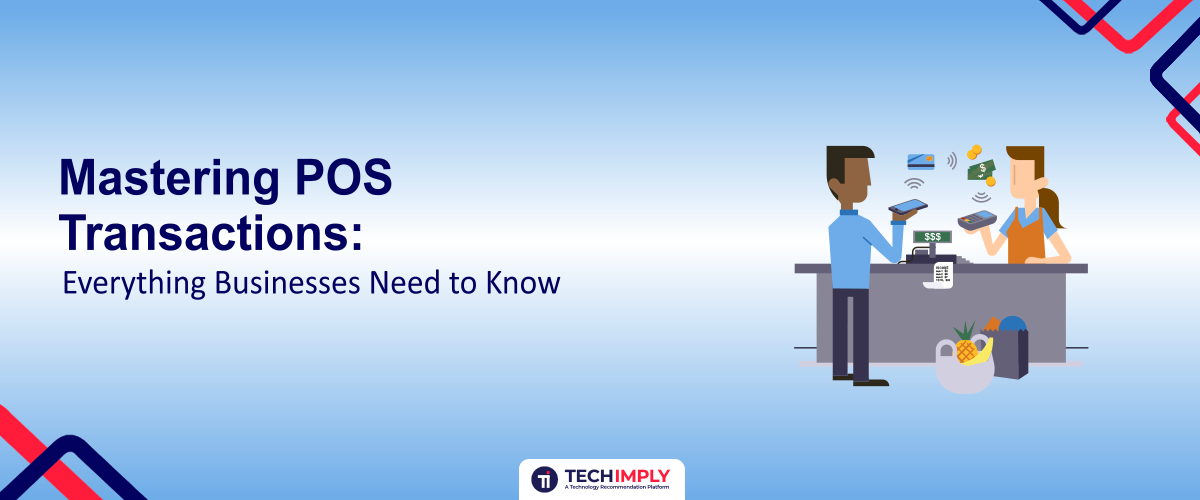
A POS transaction (Point of Sale transaction) is the exact moment an exchange of value occurs between a buyer and a seller for goods or services. Traditionally associated with a physical cash register in a brick-and-mortar storefront, the term now spans face-to-face, mobile, and digital environments.
When consumers or business clients look at what is a POS transaction on a conceptual level, it represents the intersection of:
- The Front-End Experience: Where the customer presents payment (via debit card, credit card, mobile wallet, or cash).
- The Back-End Processing: Where the hardware and software validate, authorize, secure, and record the financial exchange.
What's a POS Transaction in Banking and Statements?
For cardholders reviewing their accounts—and for merchants reconciling their merchant accounts—understanding what is a POS transaction in a debit card context is essential.
A debit card pos purchase definition typically refers to an in-person purchase where the cardholder inserts or taps their card and enters a Personal Identification Number (PIN) on a secure keypad. Unlike online or phone transactions (which are classified as "card-not-present"), a POS transaction posts rapidly and carries a specific label on a bank statement.
What is a POS Transaction on a Bank Statement?
When a customer checks their online banking, they frequently see lines designated as POS transactions.
- The Label: The entry is normally prefixed with "POS" to signify that it was a face-to-face, physical interaction using a card machine.
- The Details: It typically features the purchase amount, the transaction date, and a merchant descriptor showing the business name, city, and state/address.
How POS Transactions Work
From a customer's perspective, buying an item takes only a few seconds. However, a complex chain of digital handshakes occurs under the hood. Understanding this workflow helps merchants troubleshoot failed payments and optimize settlement times.
- Payment Initiation: The customer presents their payment method (tapping a contactless card, inserting an EMV chip card, swiping a magnetic stripe, or using a smartphone wallet like Apple Pay) at the POS terminal.
- Data Encryption: The POS hardware immediately encrypts the sensitive payment data to protect it from interception.
- Authorization Request: The terminal routes the encrypted data through an internet or cellular connection to the merchant’s credit card processor, which forwards it to the card network (Visa, Mastercard, etc.).
- Bank Validation: The card network contacts the customer’s issuing bank. The bank checks if the account is active and verifies that sufficient funds or credit limits are available.
- Approval and Response: The issuing bank sends an approval or decline code back through the network to the merchant terminal. If approved, a receipt is printed or emailed, and the funds are locked for settlement.
Exploring Every POS Transaction Type
Different business models require different mechanisms to handle sales. Knowing the primary POS transaction types allows you to configure your checkout flow effectively.
A. Offline Sales / Card-Present POS Transactions
These are traditional face-to-face purchases where the buyer and seller are in the same physical location. Common in retail, restaurants, and hospitality, these transactions offer the lowest fraud risk and lowest processing fees because physical card data and/or PIN verification are present.
B. Online Sales / Card-Not-Present POS Transactions
Modern cloud-based POS platforms can sync digital sales from an eCommerce storefront with your physical inventory and reporting systems. While these transactions are initiated over the internet, they are still captured within the broader ecosystem of your POS reporting suite, enabling effective Transaction Monitoring across your payment activity.
C. Returns and Refunds
A return functions as a reverse POS transaction. When a customer brings an item back, the merchant processes a refund through the terminal or software dashboard, pushing funds back onto the original debit or credit card.
How POS Systems Handle High Transaction Volume in Convenience Stores
Few environments test the limits of payment infrastructure quite like a convenience store or high-volume gas station. Long lines, impatient customers, and low-margin items mean that speed and uptime are everything. Here is how modern POS systems handle extreme transaction volumes seamlessly:
- Cloud-Based Architecture and Edge Processing: Modern systems use fast local caches to maintain speed even if the internet connection flickers, ensuring continuous checkout flows.
- Contactless and Quick-Chip Technology: By accelerating EMV dip times and encouraging tap-to-pay or mobile wallets, stores can shave seconds off every single interaction, drastically reducing queue times during peak rush hours.
- Integrated Barcode Scanning and Inventory Syncing: High-speed laser and image scanners feed item data instantly into the register, eliminating manual code lookups.
- Automated Offline Mode Protocols: If communication with the credit card acquirer drops temporarily, advanced POS systems can store-and-forward encrypted transactions safely, allowing queues to keep moving without risking massive fraud losses.
POS Transactions in B2B Settings
While retail and hospitality are the poster children for point-of-sale setups, B2B sellers (such as wholesale distributors, manufacturers, and industrial suppliers) increasingly rely on POS transactions.
Historically, B2B sales relied entirely on sluggish invoicing cycles, accounts receivable (AR) checks, and net-30 payment terms. Today, forward-thinking B2B companies use physical or virtual POS touchpoints at trade shows, warehouse counters, or field service visits to capture immediate payments.
Benefits of POS for B2B Businesses
- Accelerated Cash Flow: Instead of waiting weeks for an invoice to clear, funds are captured instantly or by next-day funding.
- Automated Reconciliation: Modern POS platforms integrate directly with Enterprise Resource Planning (ERP) and AR automation software (such as NetSuite, Microsoft Dynamics 365, or Sage Intacct), automatically matching receipts to open invoices.
- Reduced DSO (Days Sales Outstanding): Instant payment collection drastically lowers outstanding receivables and administrative tracking costs.
Essential Security Best Practices for POS Environments
Because POS terminals handle sensitive financial data, they are prime targets for cybercriminals. Protecting your system requires strict adherence to industry standards:
- PCI Compliance: Ensure your hardware and software providers maintain strict Payment Card Industry Data Security Standard (PCI DSS) compliance.
- End-to-End Encryption (E2EE): Look for systems that encrypt card data the exact millisecond it is swiped, tapped, or inserted, rendering intercepted data completely unreadable.
- Tokenization: Replace actual credit card primary account numbers (PANs) with secure digital tokens that hold no intrinsic value if breached.
Conclusion
Mastering POS transactions is about more than simply accepting payments. For modern businesses, a well-designed POS system connects the customer checkout experience with payment processing, inventory management, reporting, security, and financial reconciliation.
Understanding what a POS transaction is, how different POS transaction types work, and how transactions appear on bank statements can help businesses identify payment issues, reconcile accounts accurately, and provide a smoother customer experience. For high-volume businesses such as convenience stores, fast and reliable POS infrastructure is especially important for keeping queues moving and minimizing downtime. Meanwhile, B2B businesses can use POS technology to accelerate collections, improve cash flow, and reduce administrative work.
As payment methods continue to evolve, businesses should prioritize POS solutions that combine speed, reliability, security, scalability, and seamless integration with their existing operations. By treating POS transactions as a core part of the overall payment and business workflow—not simply a checkout function—businesses can improve efficiency, protect sensitive payment data, and create a more dependable path to long-term growth.


.png "How To Find and Hire Ecommerce Experts For Your Online Stores?")



