When you start a business or launch a brand, you spend hours or even days making a logo. This shows how hard you work and how dedicated you are. You can either hire a designer to finish it for you or try to do it yourself with some confusing software. AI can make a logo in the blink of an eye, which is very impressive and probably faster than making your second cup of coffee.
A lot of AI logo tools say they can make unique designs and get professional results, but they often don't live up to their promises. They only change the font slightly, so their templates stay the same. This makes logos that don't stand out very much.
We started working. We looked at a number of AI-powered logo makers to find the one that has the best combination of style, usefulness, and uniqueness.
Before we reveal the best platform, we will explain how we chose the winner.
Criteria We Used to Pick the Best
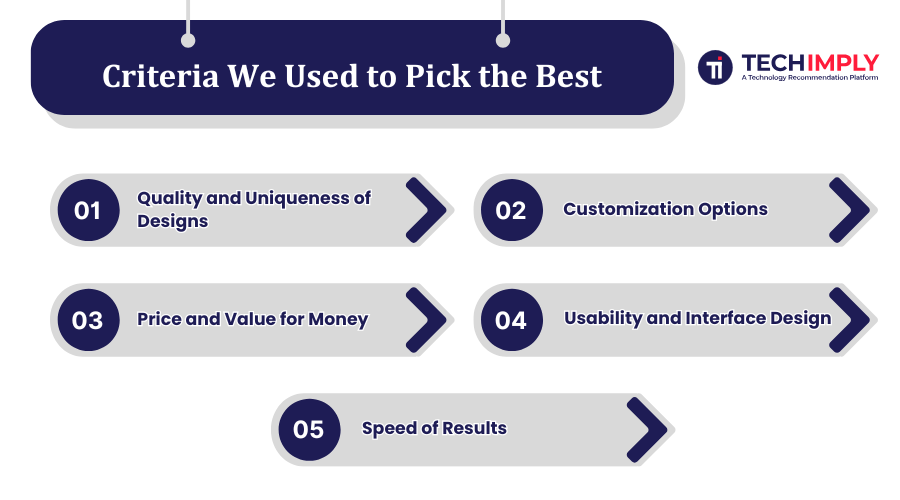
The criteria we used to choose the best AI logo generator aren't all the same. Some of these demos look like they were made quickly, but others show real creative thought. These are the things that were most important to us during our evaluation.
1. Quality and Uniqueness of Designs
We looked for logos that were unique and felt fresh and new. Some tools take shortcuts and make images that look a lot like other startup logos online by moving around pre-set icons. The best platforms made logos that looked like they were “made just for us”.
We asked:
-
Do the logos look professional enough to launch with?
-
Does each result feel unique based on the brand inputs?
-
Are the visual styles consistent and well-composed?
2. Customization Options
We didn't just want great first drafts; we also wanted to be able to change things after they were made. The tool didn't make the cut if you couldn't change the font size, color palette, or icon.
Strong customization included:
-
Font style and size adjustments
-
Layout repositioning
-
Color and icon selection
-
Logo type variety (e.g., wordmark, abstract, combination)
3. Price and Value for Money
Logos should work in the real world. That means you can download high-res files, get to brand kits, and have full commercial rights. People only thought about free tools if they offered more than watermarked previews.
|
Feature |
Considered Essential? |
Bonus if Included |
|
High-res downloads |
Yes |
|
|
Commercial usage rights |
Yes |
|
|
Brand kit / variations |
No |
Yes |
|
Free trial / credits |
No |
Yes |
|
Pay-per-logo pricing |
Yes |
4. Usability and Interface Design
People don't want to feel like they're reading a manual for software just to make a logo. We chose platforms that were easy to use and worked well. We probably didn't put the tool on our short list if we have to ask, "Where do I click next?"
5. Speed of Results
We liked platforms that were quick but still thoughtful. We chose tools that gave us both quick results and good design.
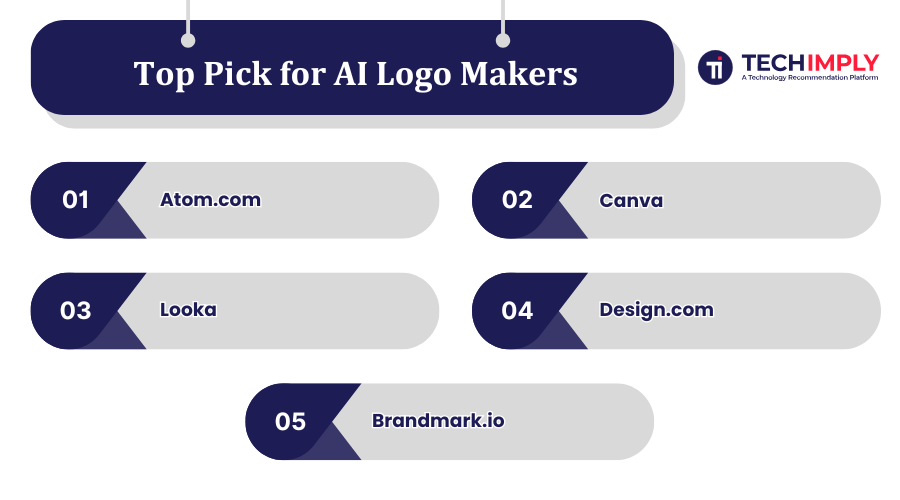
Atom.com: Our #1 Pick for AI Logo Makers
Atom's AI-powered logo generator allows every founder and entrepreneur to create a memorable brand logo in seconds with zero design experience. With just a few keywords about your brand, such as the big emotions you want to inspire or your USP, Atom’s logo maker creates a completely unique logo to kickstart your brand identity. There’s also the option of multiple logo types including abstract icons and wordmarks, as well as the choice of classic logo styles.
This logo maker stood out as our top pick for its real-world functionality: Atom’s AI has been trained on real-world logos, and it is used in-house by the Atom team for their premium domain landing pages. Unlike many AI logo makers, this tool generates a completely unique logo every time rather than mixing and matching templates and iconic, making this a tried and tested logo tool with powerful practical applications.
What Makes Atom Different?
Here’s why Atom is worth your attention:
-
Even individuals who have never used a design tool before find it easy to use.
-
You craft every logo from the ground up, drawing on your brand’s insights, which guarantees that each design is unique.
-
Explore various logo styles, from abstract icons to clean wordmarks, all designed for your brand.
-
Receive 6 free credits to test ideas and view full previews before spending any money.
-
Pricing is clear and fair; you pay only when you discover a logo you want to keep.
When you use Atom, it feels like you're working with a creative partner instead of just filling out a form for a robot to do. The experience goes smoothly and is very exciting, especially when you see your brand starting to take shape in a way that feels personal and thoughtful.
The Best of the Rest
Not all of the AI tools that are out there can be number one. Many of them have great features, a nice design, or an extra feature that might meet a specific need you have. If Atom doesn't work for you, look into other platforms that might be a better fit.
Canva
Canva logo maker works well with the site's drag-and-drop setup, which is great for people who like to make their own logos from scratch after looking through a lot of templates.
This approach proves effective for several reasons:
-
You have a lot of choices when it comes to design elements and fonts.
-
Canva's tool for making social media posts, presentations, and business cards has always been easy to find.
Things to keep in mind:
-
It's not completely AI-driven; a lot of the designs are based on templates that can be changed.
-
You'll have to do more of the hard work when it comes to styling and layout.
This is a great choice for people who think visually and like to try out different designs.
Looka
Looka is more guided and can make a lot of logo options for you in just a few minutes based on the information you give it about your brand. It’s user-friendly, quick, and offers more than just a logo; you get a complete branding kit with a higher package.
Looka’s strengths:
-
Offers logo preview in different real-world settings (like business cards or websites)
-
Comes with a brand kit with social media styles, fonts, and color codes
-
A wide range of AI-made layouts, such as ones with icons, monograms, and text-based names
Where it falls short:
-
Some logos feel a bit safe or similar to one another
-
More expensive than other options if you want full access to brand materials
Looka is a strong contender for startups that want more than just a logo and are willing to pay for extra assets.
Design.com
Design.com, which used to be called Logo.com, lets you make logos quickly and easily. It's easy and quick to use, so it's great for artists or small businesses that need a clean logo fast.
What stands out:
-
Fast process for making and editing
-
Easy pricing and immediate access to files
-
You can choose to bundle with website and domain services.
Limitations to consider:
-
Style options are slightly more limited
-
Less flexible customization compared to others
If you need something clean and basic right now, this tool gets the job done with very little friction.
Brandmark.io
Brandmark.io is mostly about design, but it does have some unique abstract symbols and color schemes that were chosen by AI. These can make your business look different from others. If you want your logo to stand out from other logos that look similar, this is a great choice. It makes it look modern and sleek.
Highlights:
-
Strong icon generation that feels different from most other tools
-
Uses color science to recommend matching palettes
-
Includes multiple logo formats and usage previews
Downsides:
-
Less flexible once the initial logo is generated
-
Pricier if you want all the file formats or full commercial rights
Brandmark.io is best for those who care about artistic polish and don’t mind a little less flexibility in customization.
Tips for Creating Your Logo with AI
Using AI for creating logos is great, but it is not worth much unless you make plans way beforehand and start right with the idea.
Chat to it about your business, your brand, and the feeling you want people to have about it in simple terms. This will help any AI image-making tool any further. Use words that give you images or focus on specifics instead of general terms like "professional" or "modern."
It is best to decide on a type of logo in advance. Do you want a logo with an icon? A wordmark that expresses its name in a distinct form? Or both? This decision sets up the clarity and direction for the designer.
Avoid using too many colors, fonts, or hard-to-read styles. Keep it simple to understand. A few simple designs are easy to remember, elegant in any scale, and bauble-free. Don't get too comfortable too soon. If the first AI creation just isn't working for you, change your inputs or try a different style altogether. The first choice isn't always the best one.
Take a moment to actually think about those steps. If you do, your AI-generated image will look planned, look polished, and be truly yours. Not some rushed thing that looks like everybody else's.
Conclusion
Having a good logo is a must in a world where branding is important for first impressions. It's your greeting, your shop front, and your first introduction all in one.
There are a lot of AI logo tools out there, but Atom.com is the best because it is one of a kind, simple to use, and dependable. It makes logos that look like they were made just for you, which is a big plus for people who are starting something new.
AI tools are great option if you want something that looks good, feels real, and doesn't cost a lot of money.


.png "How to Design an Optimal Recruitment Process in 2023")