


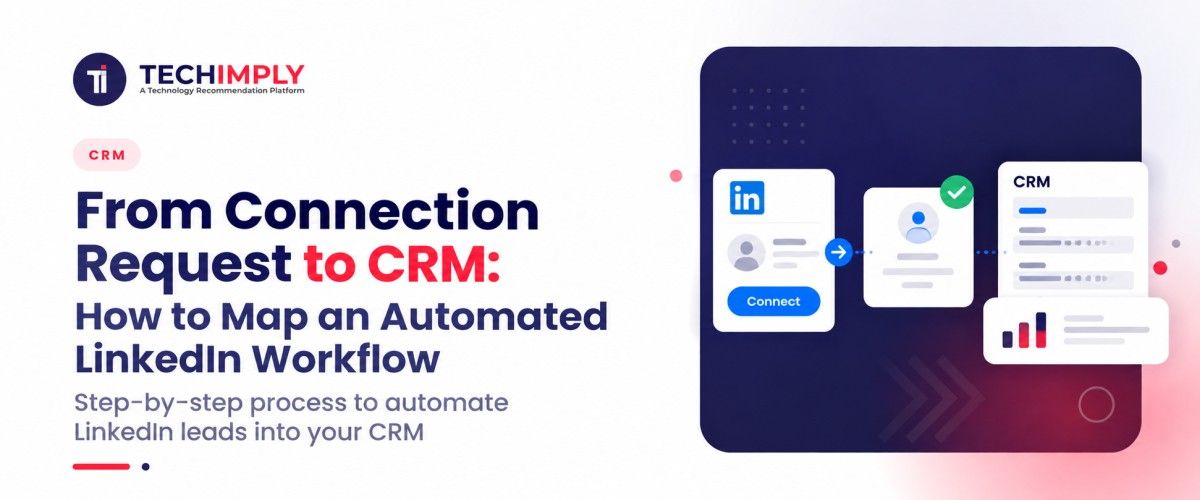
A lot of LinkedIn leads go cold after the prospect accepts the invite. You trade a couple of messages, then the thread slides down the inbox, and a month later nobody can say whether that person wanted a demo or was being polite.
Automating outreach helps here, as long as someone maps the process on paper first. Teams comparing the best LinkedIn automation tools tend to look at invite volume first and check CRM sync last, if at all. That order is backward. Once every stage has a defined trigger and a defined output, it is clear which steps a tool can run and which need a person.
Stage 1: Build a Clean Prospect List
The list comes first, and a sloppy one causes trouble at every later stage. B2B teams usually build it from Sales Navigator searches or saved lists. Event attendee pages and engagement on company posts work too.
Filter it before a single invitation goes out. Check each prospect against your ideal customer profile, then strip out existing customers, anyone tied to an open deal, and recent contacts. That exclusion data lives in the CRM. So the integration needs to read from the CRM as well as write to it.
Save a handful of fields at this point: profile URL, name, current title, company, and lead source. The profile URL matters most. Job titles and companies change often, while the URL changes far less and works as a dependable matching key.
Stage 2: The Connection Request
The first touch is often a profile visit, with the connection request following a day or two later. Some teams add a short note to the invitation. Others send it blank and hold the real message until the prospect accepts.
Before the first request, check that your own profile explains what you do in plain terms. Prospects often click through before accepting, and a vague headline gives them little reason to say yes.
Automation handles the sending, but you set the rules. Daily volume, the pause between actions, and the hours when activity runs all affect how natural your account behavior looks. Start with modest numbers and raise them gradually. Keep in mind that no tool eliminates restriction risk, since it also depends on your behavior, volume settings, and account history.
Log two things here: the date the request went out and its current status (pending, accepted, or withdrawn). Requests left pending for weeks are worth withdrawing so they don't pile up.
Stage 3: Follow-Up Messages After Acceptance
Acceptance is the trigger that moves a prospect into a messaging sequence. Most sequences run two or three messages, spaced several days apart, and each one should have a single job:
- A first message that explains why you connected, such as a shared group, event, or topic
- A follow-up with something useful, like a relevant article or a quick answer to a common question
- A final, low-pressure note asking whether a conversation makes sense now or later in the year.
One rule outweighs the rest. Any reply stops the sequence immediately. An automated follow-up that lands after someone has already answered makes the outreach look careless and can cost you a warm lead.
Stage 4: Reply Handling and Lead Status
Replies are where automation should step back. Even if a tool tags or sorts the inbox, a person needs to read each response and decide what it means.
Most teams sort replies into a few categories:
- Interested: Wants a call, a demo, or more details.
- Not now: Open to talking next quarter.
- Not a fit: Wrong role, company, or need.
- Referral: Points you to a colleague.
Each category should map to exactly one action. Interested leads go to the CRM right away with an assigned owner. A "not now" reply gets a reminder date. Contacts who aren't a fit move to the exclusion list, so future campaigns skip them.
Stage 5: Push the Data Into Your CRM
Trouble usually starts when data leaves the outreach tool. Some tools have a native integration with HubSpot, Pipedrive, or similar platforms. Even the cheapest LinkedIn automation tools can now cover this step through native CRM sync or simple webhooks, so small teams get a clean pipeline without a big software budget. Others send webhooks to Zapier or Make. Another possibility is a manual CSV import, fine for small lists and messy at scale.
Timing is a separate decision. Some teams sync every accepted connection, while others push only qualified leads to keep the CRM lean. The second option means less clutter, but early activity stays out of pipeline reports.
Whichever method you use, agree on field mapping before the first sync. The table below is a simple starting point that most sales teams can adapt:
|
Workflow stage |
Trigger |
Data sent to CRM |
CRM action |
|
Prospect list |
Lead matches your ICP |
Profile URL, name, title, company, source |
Check for duplicates |
|
Connection request |
Invitation sent |
Request date, campaign name |
Log activity |
|
Acceptance |
Invitation accepted |
Acceptance date |
Create or update contact |
|
Reply |
Prospect responds |
Reply text, reply category |
Update lead status |
|
Qualified lead |
Positive reply |
Owner, next step, meeting date |
Create deal |
Duplicate records are the usual headache. Use the LinkedIn profile URL as the primary match and email as the backup. People often sign up for LinkedIn with a personal address while your CRM holds a work email, so email matching alone can split one person into two records. Keep enriched emails in their own field, marked unverified until checked.
Stage 6: Feed Updates Back
Data has to travel in the other direction as well. Say a deal closes, or a prospect writes back asking to be left alone. Without that update, the next campaign may message a paying customer or someone who already said no.
Once a month, check the numbers by stage. A weak acceptance rate is usually a targeting or profile problem. Many acceptances with hardly any replies point to the messages.
Test one change per cycle. Rewrite the opener and narrow the audience in the same week, and you will not know which one moved the numbers.
A Workflow You Can Maintain
Drawing the map before switching anything on takes an afternoon, maybe less. It forces clear decisions about who owns each lead and which fields sync, and it keeps your pipeline free of half-finished records that nobody trusts. Start with one campaign, check the synced data after the first week, and expand once each stage behaves as expected.


 (1).png "7 Best Features of a Recruitment Software that We Love")


