AONMeetings: A Smart, Scalable Video Conferencing Solution for Small Businesses
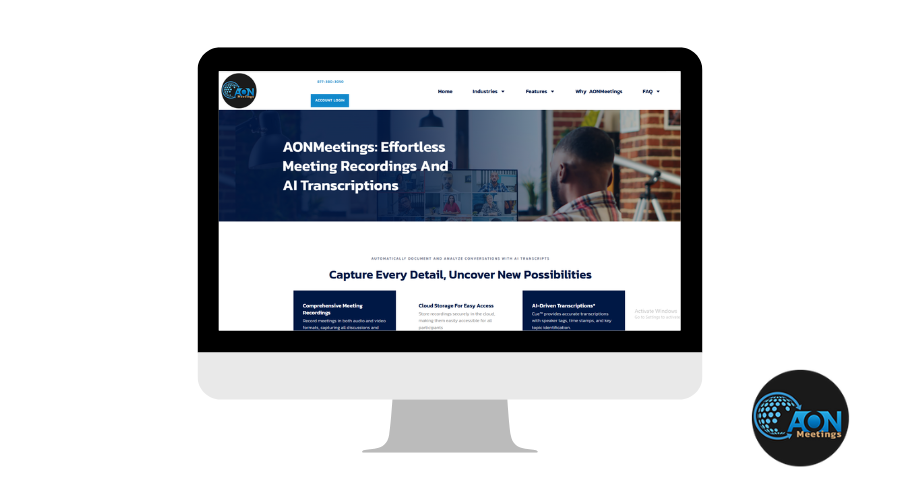
AONMeetings is more than a video communication tool, it is an advanced communication platform specially crafted for small businesses. As a small business owner or team leader, if you have been feeling frustrated with heavy, expensive video tools, AONMeetings is likely the answer that you have been looking for: a one-stop video conferencing and webinar solution that actually eases your virtual communication ordeal without cutting down on features or security.
Set up meetings, webinars, and collaboration with customers or colleagues all in one place, and it’s user-friendly even for non-tech teams to use. Plus, its strong security means your conversations and data stay protected.
Backed by functionality tailored for various industries and remote work models, AONMeetings stands out as a top pick for businesses that want to make the most of their virtual communication tools.
Who Is It For?
We’ve found AONMeetings to be a smart, adaptable solution, tailored to meet the unique communication needs of every industry, from education and consulting to enterprise and beyond.
-
Remote Teams: Need to huddle daily or brainstorm weekly? AONMeetings’s fast-loading interface is perfect for agile, on-the-go teams.
-
Freelancers/Consultants: Make client meetings seamless and professional, no matter where you are.
-
Startups & SMBs: Looking for a cost-effective yet solid solution without paying for bloated enterprise tools? AONMeetings fits.
-
Enterprise Teams: Want a Zoom or Teams alternative with fewer distractions? AONMeetings offers focused communication.
-
Educational Coaches & Online Trainers: Simple to use for sessions and doesn't require students to install anything.
What Makes AONMeetings Stand Out? Here’s What You’ll Get
When you’re picking a video conferencing tool, features matter. And AONMeetings doesn’t just check the basic boxes—it brings real value to your day-to-day operations. Here’s what you can expect:
1. HD Video and Audio
Meetings feel more real when video and audio are sharp—Less “Can you hear me now?” moments. AONMeetings delivers clear video and crisp audio, even when your internet isn’t at its best. That means fewer distractions and better engagement.
2. No Downloads, No Waiting
No one wants to download software just to attend a quick call. AONMeetings runs directly in your browser—just send the link and you're in. You click a link, and you’re in. Your team, clients, or attendees can join meetings straight from their browser. That means no technical headaches or last-minute install issues—just click the link and you’re in.
3. Built-In Security You Can Count On
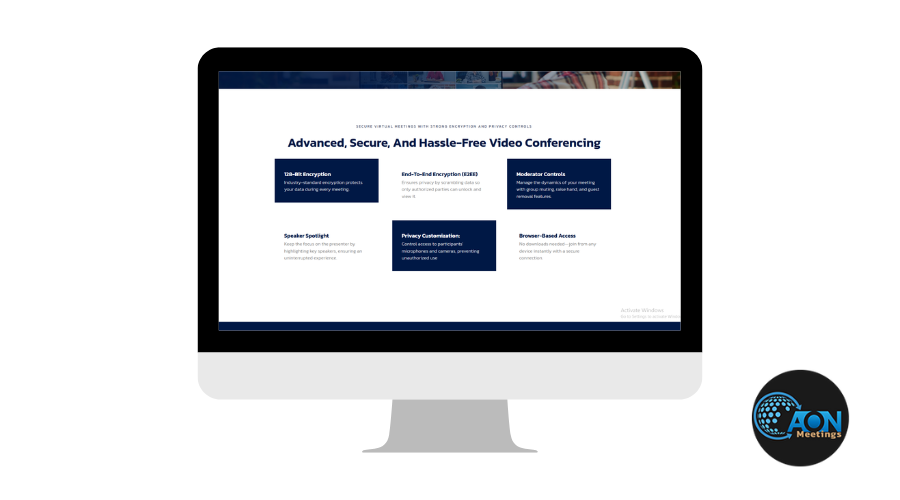
Whether it’s client meetings or internal catch-ups, privacy matters. With options like pre-registered attendees and locked rooms, AONMeetings helps keep unwanted visitors out and your data safe. AONMeetings protects your conversations with enterprise-grade encryption to keep your data private and safe. Whether you're discussing client data, financials, or team planning, AONMeetings keeps your conversations locked down.
4. Screen Sharing and Collaboration Tools
From screen sharing to intuitive meeting controls, AONMeetings makes team communication smooth, clear, and actually useful where you can easily share your screen, present slides, or walk through a live demo with ease. It’s all built in, and it just works. The UI is clean, making it easy for anyone to follow along or jump in.
5. Perfect for Growing Teams
If you're managing a small business or scaling operations, AONMeetings grows with you. It’s built to support everything from quick check-ins to full-scale webinars.
6. One-Click Meeting Setup
You don’t need a tech background to run a meeting. AONMeetings’s interface is sleek and intuitive. Just log in, click “Start Meeting,” and you’re live. You can even schedule meetings ahead of time and share calendar invites.
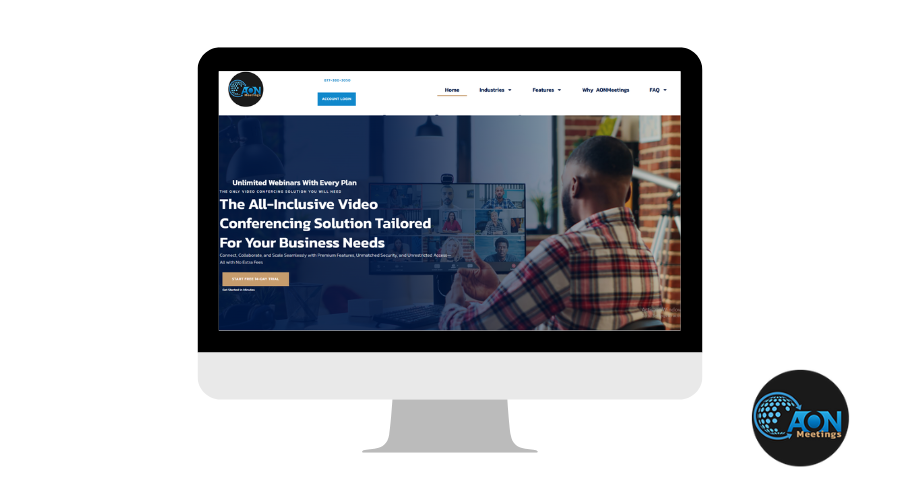
7. Lightweight Interface
AONMeetings isn’t trying to overwhelm you with buttons. The UI is stripped down but smart. You’ll find everything you need, and nothing you don’t.
8. Integration with Your Favorite Tools
AONMeetings connects seamlessly with collaboration tools like Slack and Microsoft Teams, keeping everything in sync and boosting productivity without switching tabs.
9. Built-in Webinar Capabilities
Every plan includes webinar features that help automate customer onboarding. Hosting virtual events? You can even monetize them directly on the platform—no need for third-party tools.
Moreover, the user can have a complete list of the registrant and track the time they stayed for each and every individual in the present webinar which is a very effective way to measure engagement and later follow up regarding good leads—a feature that is extremely beneficial in sales demos, training sessions, or online workshops.
10. Engage Your Audience with Advanced Tools
Need feedback in real time? Use live polling. Want to split into smaller groups for focused discussion? Breakout rooms are ready. Closed captioning is also included for accessibility.
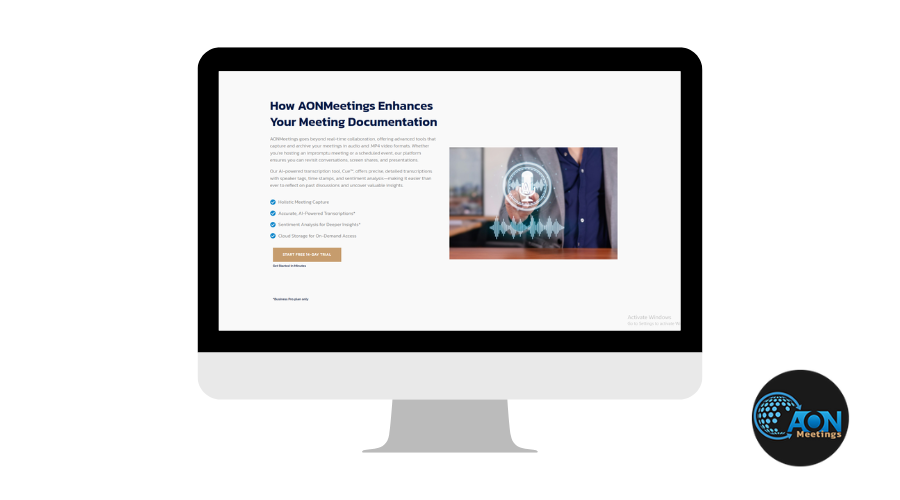
11. Never Miss a Word: Recordings & AI-Powered Transcripts
Need to revisit a discussion or share it with someone who couldn’t attend? We, Techimply, appreciate tools that simplify follow-ups. AONMeetings lets you record your meetings effortlessly. Plus, with built-in AI transcripts, you get accurate, searchable notes—so no more scrambling to write everything down during the call.
The AONMeetings Experience: What It’s Like Using It
Using AONMeetings is like getting into a fast car with no extra buttons—you just hit start and go. No lag. No updates to install. No tech panic five minutes before a big client call. Meetings start instantly. The dashboard is user-friendly. And the performance? Surprisingly solid, even with low bandwidth.
Here’s where things get real. We tried AONMeetings across different devices and scenarios—client meetings, internal huddles, interviews, and even low-bandwidth situations. And honestly? It delivers.
- Startup time: Fast. Meetings launch in under 5 seconds.
- Call stability: Rock-solid, even with 4G data.
- Navigation: Super easy. Anyone can host or join in seconds.
It’s like driving a car with push-start ignition. One tap, and you're rolling.
What Impressed Us Most About AONMeetings
- Super quick setup
- No software installation required
- High video/audio quality
- Great for quick, professional meetings
- Custom branding for a polished experience
Use Cases: Real-World Scenarios
1. Sales & Client Calls
First impressions matter, and AONMeetings makes sure your client calls go off without a hitch. With its branded meeting rooms, your clients see a polished and professional experience from the moment they join. Plus, the quick, hassle-free joining process shows you're ready to go—no fumbling with tech!
2. Remote Team Standups
Daily or weekly standups with your remote team don’t have to be drawn-out or clunky. AONMeetings helps you keep things quick and efficient, with smooth video and minimal lag. Whether you’re syncing up for a few minutes or covering important updates, AONMeetings ensures your team is connected and on track.
3. Online Workshops or Demos
Running a training session or demoing a new tool is easy with AONMeetings’s screen sharing. Present slides, walk through documents, or show off your latest software—everything is fluid with great video and audio quality. Let the tech fade into the background and focus on the content!
4. Freelance Deliverables
You want to show your work the best way one can as a freelancer. AONMeetings makes reviewing edits, sharing drafts, or presenting works in progress easy with clients. The stable video and crystal-clear audio ensure you’re communicating effectively, and the whole experience feels professional.
5. Candidate Interviews
Forget the “Can you download Zoom first?” hassle. All you have to do is send the interview link and you’re set. Everything is very smooth for you and the candidate; no downloads or configurations required. Click to connect then start the interview.
Pricing: Is It Worth It?
Pricing can honestly make or break your decision when choosing a video conferencing tool. The good news is AONMeetings keeps it simple, budget-friendly, and packed with real value. You're not just paying for a product, you’re investing in a solution that works without overcomplicating things.
Here’s how the plans stack up:
1. Standard Plan – $3.99/user/month
Just need the basics? This plan gives you everything you need to host up to 25 participants—screen sharing, whiteboard, scheduling tools, and 1GB of storage. Clean, simple, and perfect for freelancers or small teams who want zero fluff.
2. Pro Plan – $6.99/user/month
Got a growing team? With support for up to 100 participants, this plan steps things up. You get virtual backgrounds, screen sharing, private chat, breakout rooms, and annotations. It’s made for smooth, real-time collaboration without draining your wallet.
3. Business Pro Plan – $16.99/user/month
Running bigger meetings or webinars? This one’s your go-to. Host up to 250 participants and access premium features like multi-camera broadcasts, YouTube/RTMP streaming, custom branding, and AI-generated meeting summaries. Great for scaling teams that want to look and operate like pros.
4. Enterprise Plan – Custom Pricing
Have unique needs or a large organization? AONMeetings offers tailored enterprise plans with dedicated support and customized features. Let’s just say—if you need it, they’ll make it work.
So… Is It a Smart Buy?
If you’ve been paying for bloated tools with features you never touch, AONMeetings will feel like a breath of fresh air. You only pay for what you actually use, and it works smoothly even on low bandwidth.
Compared to industry giants like Zoom or Teams, AONMeetings delivers similar functionality and often for a much lower cost. Plus with no licensing minimums for any plan, AONMeetings is cost effective, especially for small businesses.
Techimply’s Take:
If you're after a browser-based video platform that’s simple, reliable, and doesn’t stretch your budget, AONMeetings checks all the right boxes. It delivers real value without the unnecessary extras, and for that, we say it’s absolutely worth every dollar.
Tips to Get the Most Out of AONMeetings
- Bookmark your meeting room: Got a recurring team huddle or weekly client check-in? Save your AONMeetings link as a browser bookmark. It makes joining future meetings fast and effortless—just one click and you're in, no need to search for old invites.
- Use custom branding for client meetings: When connecting with clients or partners, personalizing your meeting space with your logo and brand colors can create a memorable effect. It conveys professionalism and helps you differentiate yourself from other commonplace video calls.
- Mute When Not Speaking: While AONMeetings handles audio really well, it’s always a good habit to mute yourself when you're not talking. This keeps background noise—like keyboard clicks or barking dogs—from distracting others on the call.
- Stay Updated with New Features: AONMeetings is regularly rolling out new features based on user feedback. Keep an eye on their product updates or roadmap, so you’re always making the most of what’s available—and maybe even get early access to new tools.
- Have a Mobile Backup Plan: If your computer freezes or your internet acts up, just switch to your phone. AONMeetings works smoothly on mobile browsers too, so you won’t miss a meeting, even when you're on the move.
- Test Before Big Meetings: If it’s your first time using AONMeetings or you're about to host an important call, do a quick test run. Familiarize yourself with the controls, try out screen sharing, and check your mic and camera.
- Share the Link Ahead of Time: Because AONMeetings doesn’t require any downloads, you can send out meeting links in advance with full confidence. Everyone—from tech-savvy team members to less experienced clients—can join in with zero hassle.
Customer Support and Updates
When reviewing a video conferencing tool, support quality and update frequency matter more than you’d think—and this is where AONMeetings quietly stands out.
Customer support is damn good! Trying to resolve a login problem or simply understanding a thing or two on offer could be as simple as going through a searchable FAQ section, chatting, or emailing, done by AONMeetings. Most users even claim fast turnaround times so you don’t have to sit around when you’re already running late for a meeting.
But what really adds value is how actively the team behind AONMeetings listens to user feedback. They're not just fixing bugs—they’re building new features based on what real users want. Regular product updates mean the platform isn’t standing still. It’s evolving.
For businesses looking to grow with a tool instead of outgrowing it, that’s a major plus.
Would we recommend AONMeetings?
Absolutely—especially if:
- You value speed and simplicity over complex tools.
- You host frequent client meetings or internal huddles.
- You want a polished, professional experience without the learning curve.
AONMeetings is a refreshing take on virtual communication. It doesn’t try to be everything. It just focuses on making meetings easier—and in a world of remote work overload, that’s exactly what we need. One click to connect—and that’s exactly what it delivers.
Ready to Simplify Your Meetings?
Visit AONMeetings.com and try it yourself. It might just be the smoothest call you’ve ever made.