
Paraphrasing applications are becoming the go-to solution for writers around the globe. So, how do they help writers exactly?
A paraphrasing tool can make life easy for writers in many ways. With the negative impact of plagiarism ever-looming, writers can breathe freely because of these paraphrasing tools. Since they help them:
- Reword the content
- Rephrase content in bulk
- Avoid plagiarism emphatically
These are the three main benefits of a paraphrasing tool. Because the implications of paraphrasing go beyond these few advantages, that's when a paraphrasing application takes it up a notch and helps a writer further.
But are all paraphrasing applications worth giving your time to? Much like any other app, paraphrasing apps too have good or bad eggs among them. That's why it's imperative to find the ones that get the job done properly.
So, let's dive in deeper and find out the best paraphrasing apps today.
What Are Paraphrasing Apps?
A paraphrasing app refers to allow users to rephrase their content quite conveniently. These remarkable tools can help writers work on the go and help them make their content better.
Some of the most common uses of such applications are:
- Rephrasing to enhance the content flow
- Rephrasing to improve content tone
- Revamping to avoid or remove plagiarism
- Rewording to switch to a different content tone
These four most common uses among writers make paraphrasing apps a must-have. So, their mobile phone applications only increase this convenience by providing a mobile solution and allowing them to work on the go.
How To Pick Paraphrasing Applications?
Picking a mobile phone paraphraser isn't a difficult task. When you look for a paraphrasing tool on either of the two major application stores, you will be provided with a list of hundreds and maybe thousands of such tools.
So, how do you pick the best one? By ensuring these four key essentials:
Easy Download
Whether you go to Apple's App Store or Google's Play Store, you need to find a tool that's easily available for download. Your priority might be to pick a tool that's top on the list. However, you should choose the one with the highest/best rating.
Free to Use
The application must be free since not many students or freelancers can afford hundreds of dollars worth of applications. So, look for something like this:
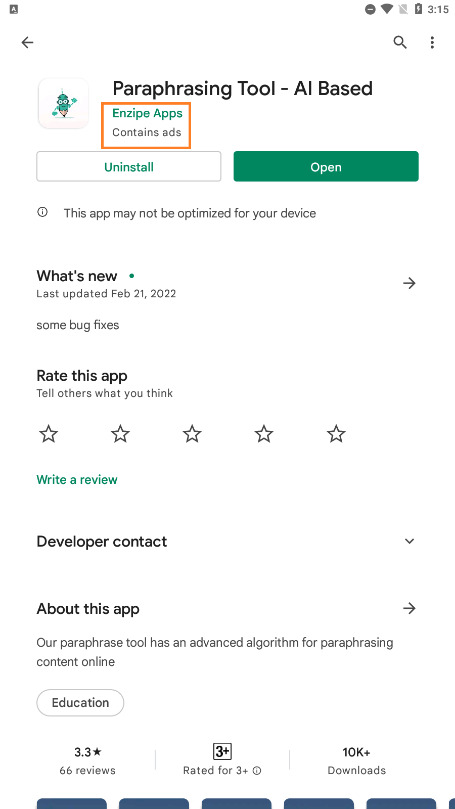
The orange mark indicates this app contains ads but doesn't have in-app purchases. Therefore, it's free.
Size of the App
If you're going to use this application continuously, then you might as well make sure it doesn't take hundreds of MBs on your phone storage. So, something like this:
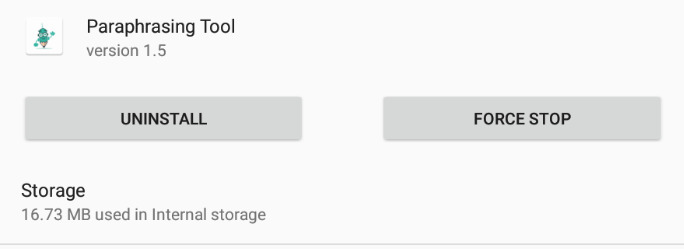
The lighter the app, the easier it'll be to use it.
Paraphrasing Prowess
Last, and perhaps the most obvious thing you need, is the paraphrasing prowess of this tool. But good ratings and comments from users might just indicate it. The best writing apps are those that use AI for rewriting.
Top 3 Paraphrasing Applications Helpful For Writers
Now that we know what to look for, let's talk about today's top paraphrasing tools. You might not even have to go through the above hassle, as we've picked the top three tools for your convenience. All of these tools utilize AI as well, so their paraphrasing capabilities are a touch above the rest. Therefore, without further ado, let's dive right into it:
1. Paraphrasing App – Enzipe Apps
ttps://play.google.com/store/apps/details?id=com.paraphraser.articlerewriter
This Paraphrasing app is a stellar option in this list. This outstanding tool delivers paraphrasing quite conveniently and without causing any hassle to the user. Once you download this app from Play Store, you get this screen to welcome you:
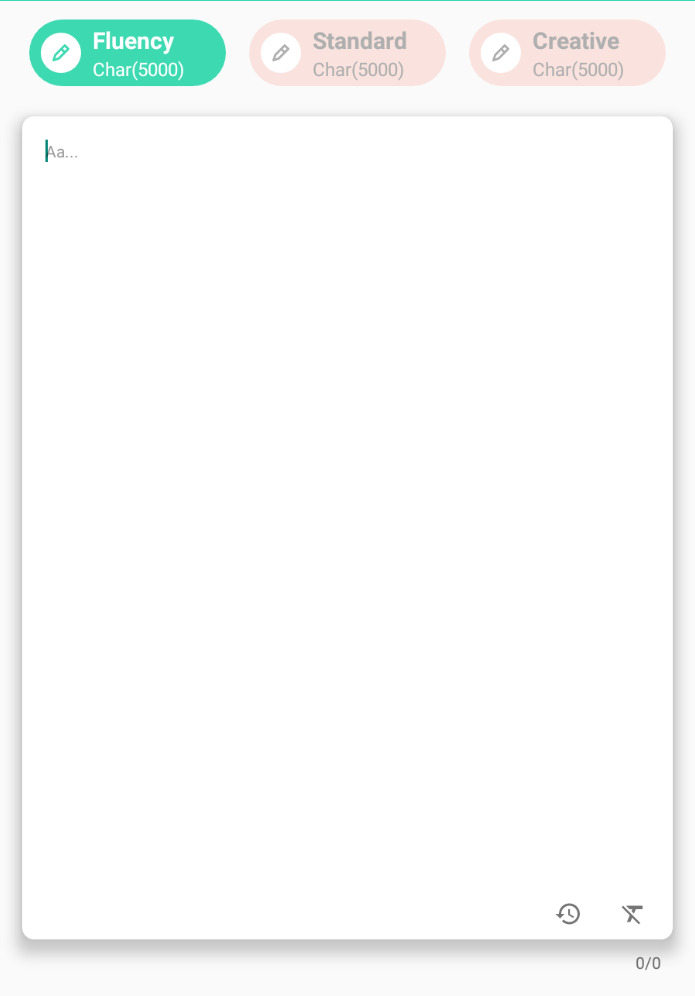
Right off the bat, you can see how this paraphrasing app offers you three different content tones. This is ideal in any scenario, as writers can use them for various goals. Besides that, the tool is lightweight in nature, so there are no lag or hanging problems.
This app requires an internet connection to work, which is similar to how online tools work. This app is very viable when you need to paraphrase online.
When you paraphrase your content, this is the screen that you see
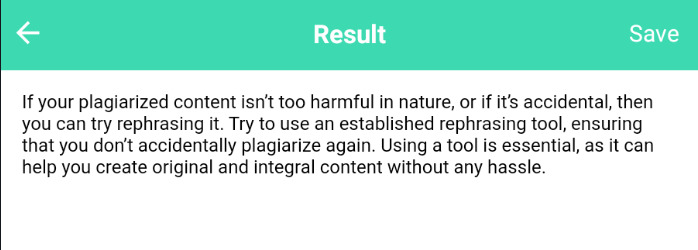
The tool definitely works well and offers quite a unique approach to content tones. The reason it's ideal for minor rewrites is because of its 5000-character limit. So, you can use it to rewrite the content of smaller nature quickly.
Pros
- Three proficient content tones
- Easy to use
- Upload or paste content
- 5000-character limit
Cons
- Ads can hog up the screen
2. Rephraser – Softo
This app is also an AI paraphrasing app. This app is also quite lightweight and only takes around 31 Mbs of space after installation.
As soon you open the paraphraser you are greeted with the interface where you have to input your text. On the top, there is a bar from which you can choose between three types of paraphrasing modes. Fluency, Standard, and Creative. Each mode rephrases your text in a different manner.
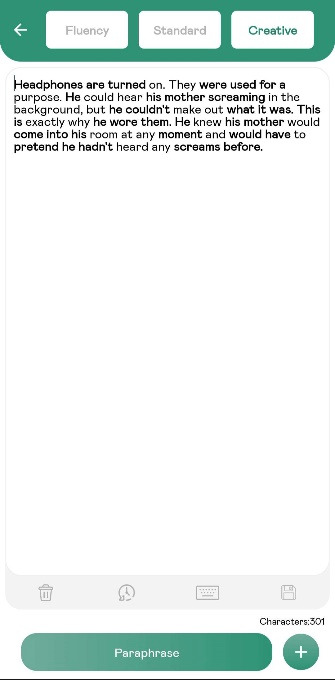
You can input your text by either writing it manually, copy-pasting, or by uploading it from your device. the final option is literally labeled “Upload” because this app works online and its AI engine runs on its own server. So, that’s why you ‘upload’ text to it. To paraphrase online, you simply have to press the “Rephrase” button which takes you to this screen.
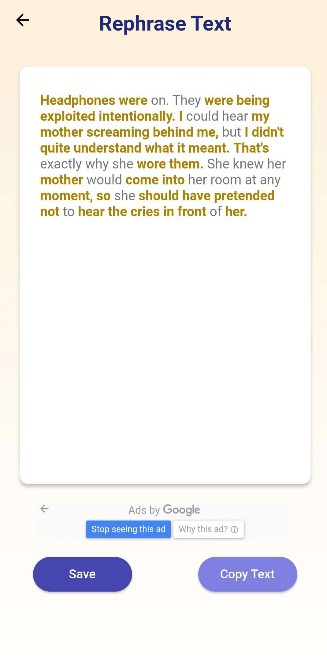
As you can see that all the changes made by the paraphrasing app are now highlighted in a yellowish hue. This makes it very easy to spot what has been changed. In the results shown above, we can see that the changes range from synonym replacement to word and tense forms being altered.
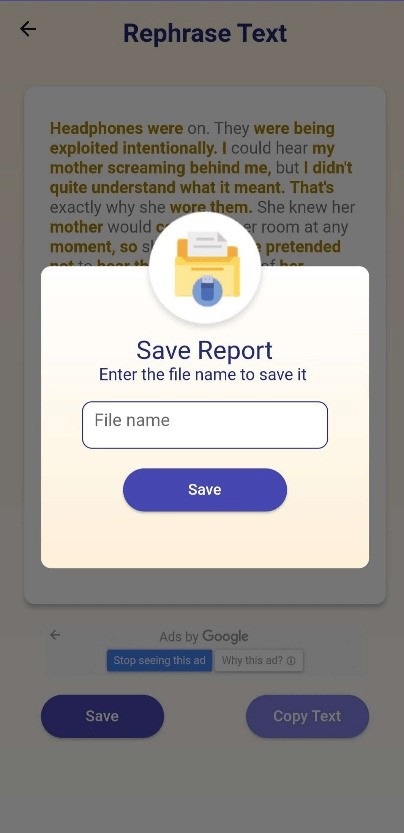
The results can be saved on your device as a Word file in the downloads folder.
Pros
- Multiple paraphrasing modes
- Supports 13 languages including English
- Free—no premium versions
- Easy to use
- File uploading supported
- Output can be saved to the device
Cons
- Ads
3. Paraphrasing Tool by Prepostseo
While the app may be called “Paraphrasing Tool”, it still remains an android app. This is a free application for when you need to rephrase some text on the go, or when you don’t have access to your computer.
It’s a small and lightweight app, so, it won’t place too much burden on your device resources. Its size on disk after installation is 58 Mbs.
When you open the app, you are immediately taken to this screen:
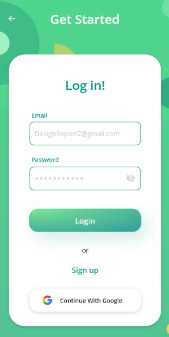
You cannot use this app without a free account, so you need to create one and log in. Afterward, you will be taken to the main menu. Here you have two options; Standard and AI mode. The standard mode is for free users while the AI mode is for premium users.
To start paraphrasing you need to select from one of these modes. Their respective interfaces look like this:
Standard mode AI- Mode
As you can see, this is the interface where you enter your text so that it can be paraphrased. This is the results screen, as all the changes are applied here.
In standard mode, there are no extra modes, however, users can edit the results by touching the blue highlights. This opens up a menu where you can see related synonyms of the word/phrase that you selected.
In AI mode, you get three paraphrasing modes. They are better than the standard mode, but they don’t have to option of editing the results.
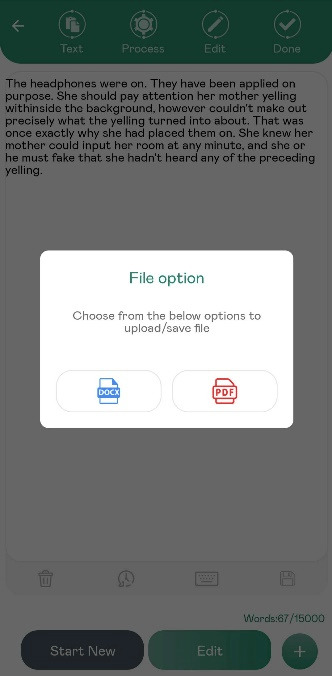
Finally, you can not only write/paste your text in the input field, but you can also upload a PDF or a Word file from your device. The screen for that looks like this:
Pros
- Free to use
- No registration
- No intrusive ads
- Supports file uploading
- Supports file downloading
Cons
- AI mode doesn’t allow editing
Conclusion
These are the three most remarkable paraphrasing mobile phone apps for writers today. Each one of these tools offers something unique, as you can see. Therefore, it dials down to our needs and how much content we need to rewrite or rephrase.